
Understanding Credits
What are credits?
Credits are Skaler's currency for AI-powered actions. Every time you use an AI feature — like generating images, cloning ads, or creating hooks — it costs a certain number of credits.
How credits work
- Each subscription plan includes a monthly credit allocation (200, 500, or 2,500 depending on your plan).
- Plan credits reset at the start of each billing cycle.
- Unused plan credits do not roll over to the next month.
- Bonus credits (from promotions or referrals) never expire but require an active plan to use.
- Plan credits are consumed first, then bonus credits.
Credit costs by feature
Image tools (Creation > Images)
| Tool | Credits | Output |
|---|---|---|
| Ad Clone | 5 | per image |
| Concept | 5 | per image (1–4 images) |
| Ad Editor | 20 | 4 images |
| Style Variations | 10 | 4 images |
| UGC Images | 10 | 4 images |
| Product Shots | 10 | 4 images |
| Aspect Ratio | 5 | up to 4 ratios |
Video tools (Creation > Videos)
Video credits are calculated per second of video duration, and depend on the quality model you choose:
| Model | Cost | Example (4s video) | Example (8s video) |
|---|---|---|---|
| Standard | 2.5 credits/sec | 10 credits | 20 credits |
| Pro | 7.5 credits/sec | 30 credits | 60 credits |
This applies to all three video tools: Video Clone, UGC Video, and Static to Video. The total cost is multiplied by the number of videos you generate.
Text tools
| Tool | Credits |
|---|---|
| Hook Generation (4 hooks) | 1 |
| Ad Refinement | 1 |
| Translation (per language) | 1 |
| Voiceover (per 100 characters) | 1 |
Checking your balance
You can see your remaining credits in several places:
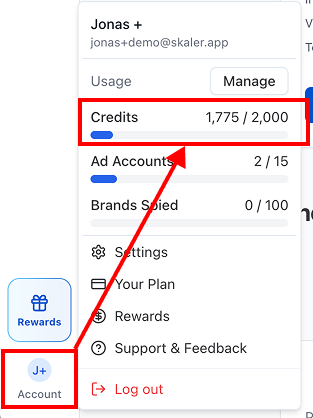
- User menu — Click your avatar in the Navigation Rail. Your credits are shown as "X / Y" with a progress bar.
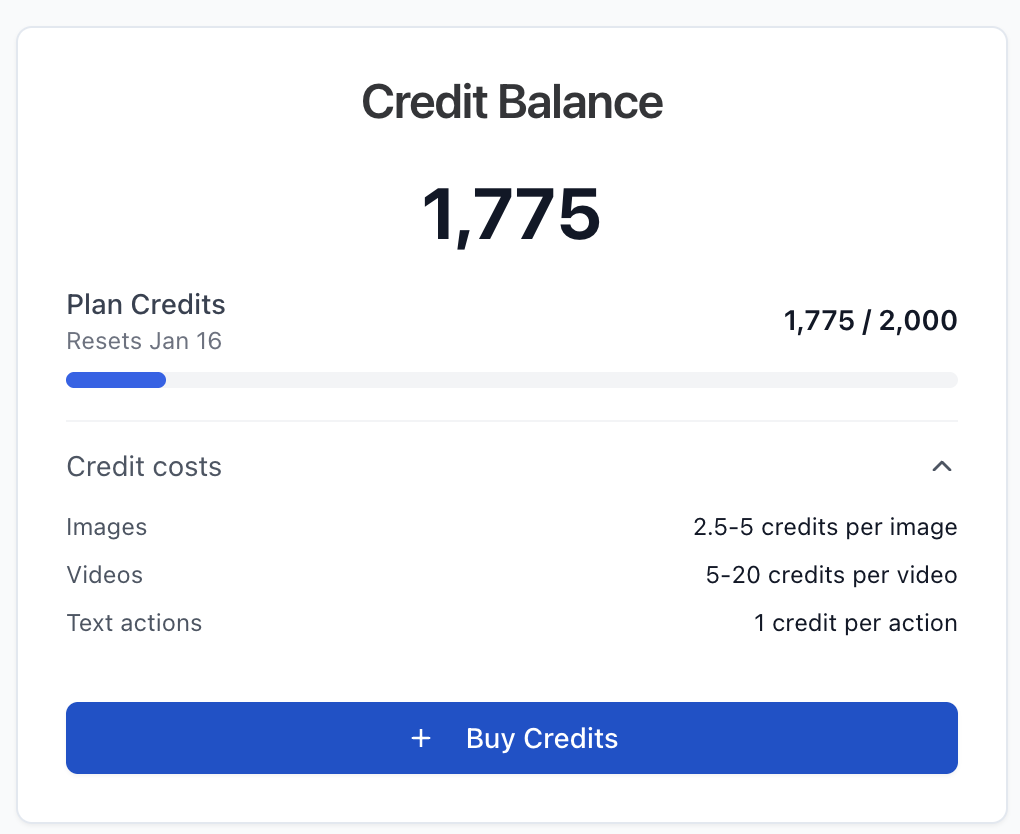
- Subscription page — Shows a detailed breakdown of plan credits and bonus credits with usage bars.
- Before actions — Many tools show your remaining credits in a tooltip before you confirm (e.g., "Uses 1 credit. Remaining: X").
Running low on credits?
- Upgrade your plan for a higher monthly allocation.
- Buy bonus credits from the Subscription page — these never expire.
- Wait for your plan credits to reset at the start of your next billing cycle.