
Understanding Your Metrics
Analytics dashboard overview
Once you've connected an ad account, the Analytics dashboard gives you a complete view of your advertising performance.
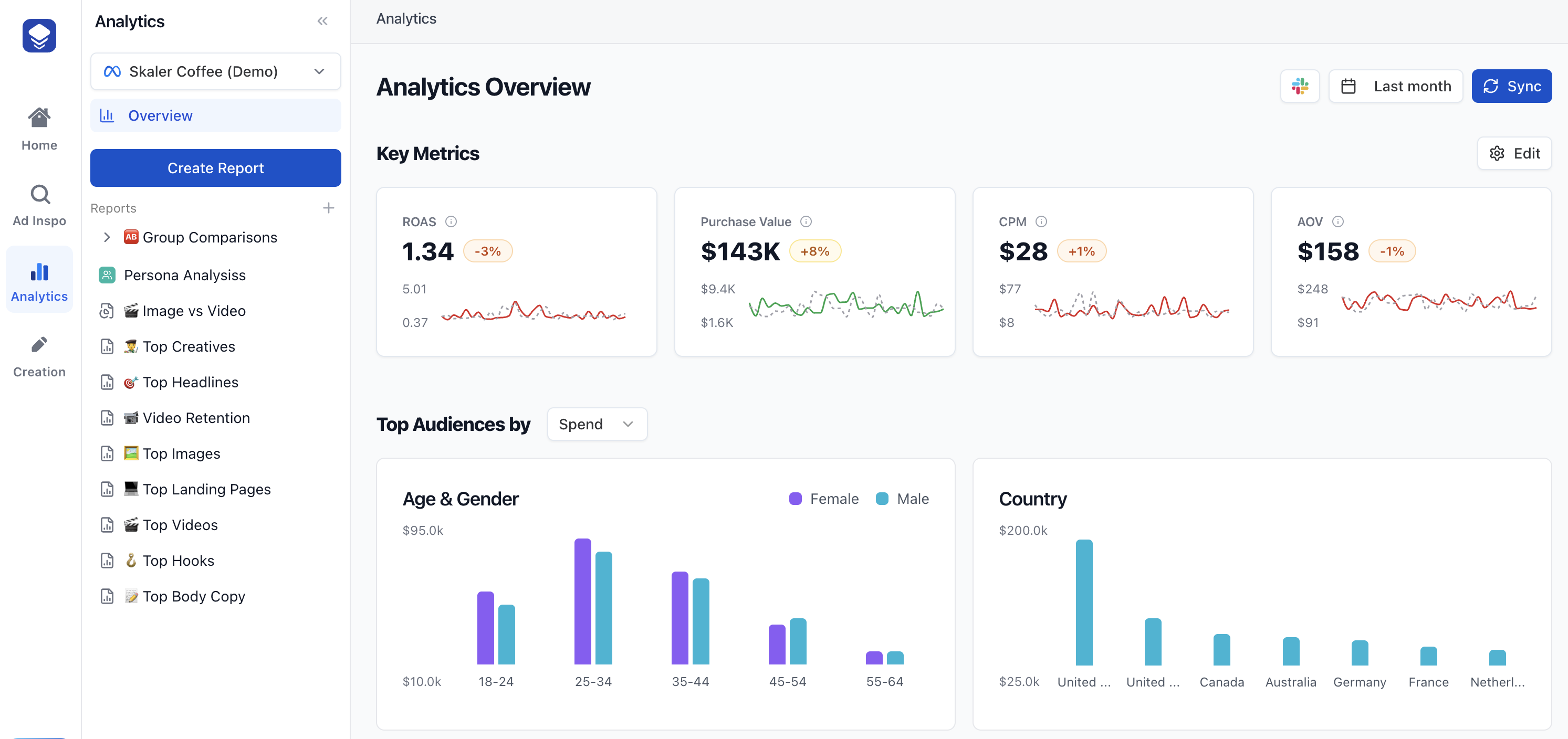
Key metrics
The dashboard displays customizable metric cards. The default metrics shown are:
- ROAS (Return on Ad Spend) — How much revenue you earn for every dollar spent.
- Purchase Value — Total revenue generated from ad-driven purchases.
- CPC (Link Click) — Average cost per link click.
- CPM — Cost per 1,000 impressions.
Additional metrics you can add include Spend, CPA, Purchases, CTR, Impressions, Engagement, and many more.
Customizing your dashboard
You can personalize which metrics are displayed and their order:
- Click the Edit button (gear icon) next to "Key Metrics".
- Drag and drop metric cards to reorder them.
- Click Add Metric to browse and add new metrics from the full list.
- Remove metrics you don't need using the remove control on each card.
- Click Save to persist your preferences.
Breakdown charts
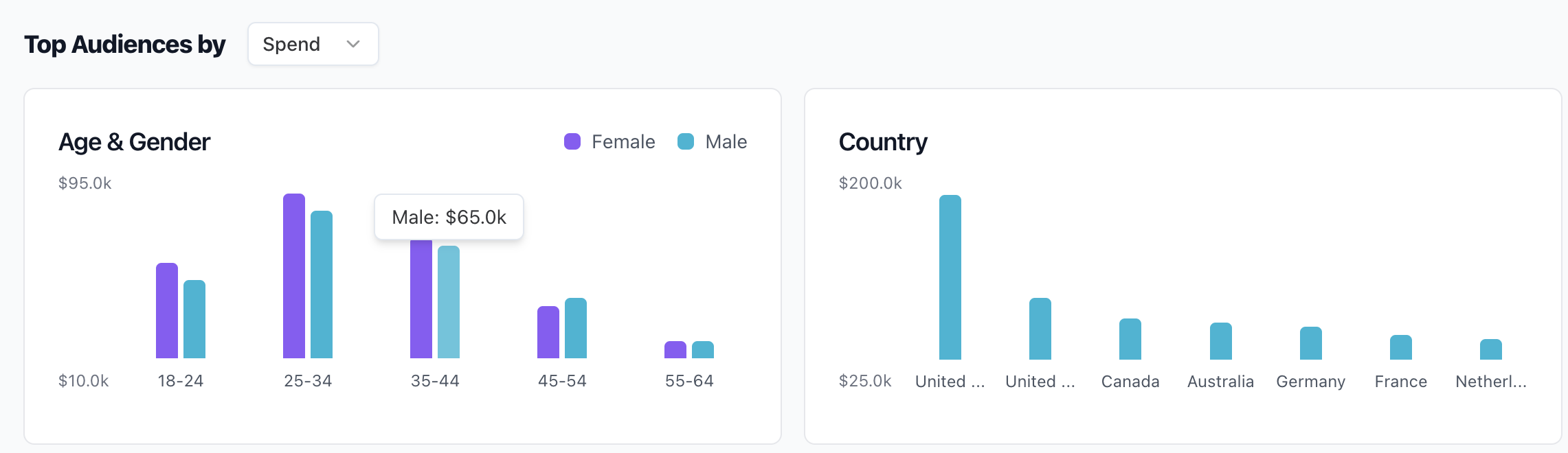
Below the metric cards, the "Top Audiences by" section shows breakdown charts. You can view breakdowns by Spend or ROAS and analyze performance across:
- Device — Ad format breakdown (single image, carousel, video, etc.).
- Age & Gender — Performance by age group and gender demographics.
- Platform — Breakdown by placement (Facebook, Instagram, Audience Network, etc.).
- Country — Performance by geographic location.
Breakdown charts are also draggable and reorderable in edit mode.
Ad Creatives analysis
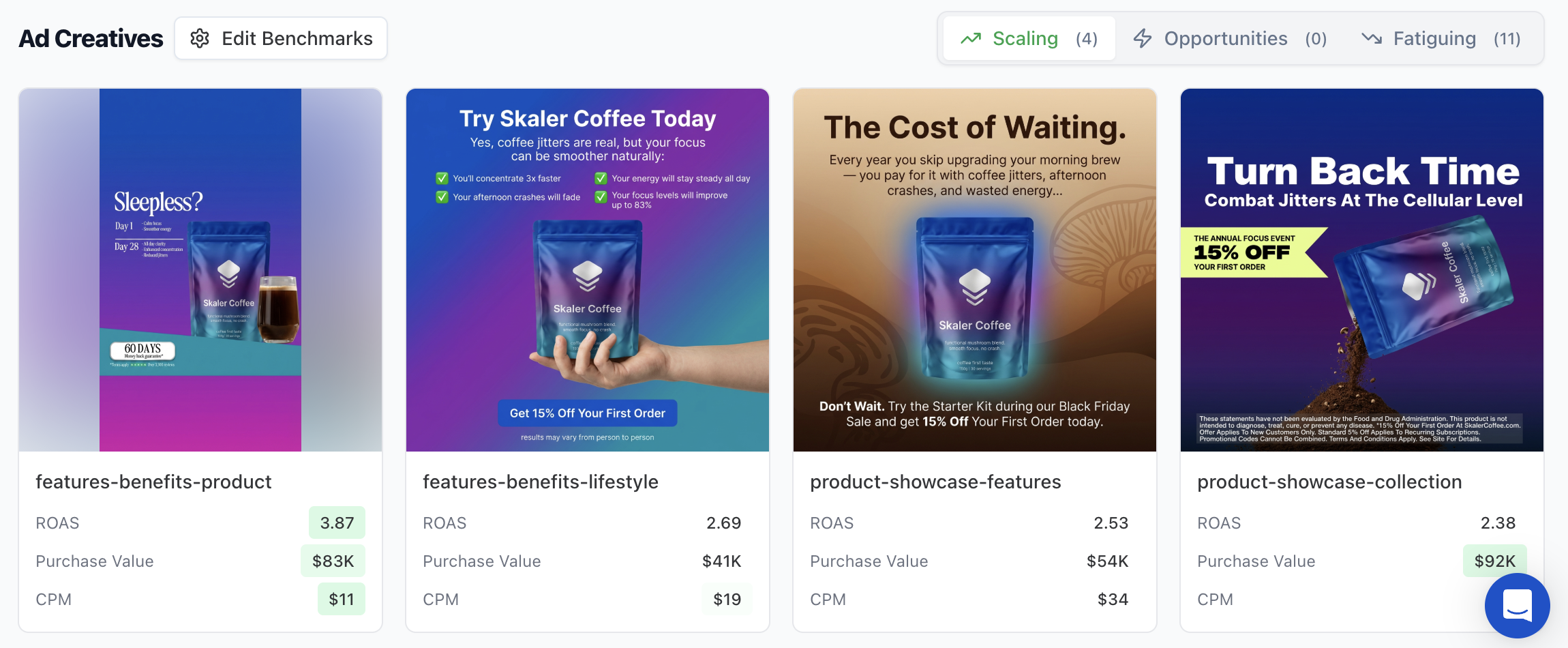
The dashboard includes an Ad Creatives section with three tabs:
- Scaling — Your winners that Skaler recommends increasing spend on.
- Opportunities — Low-spend ads with strong early ROAS.
- Fatiguing — High-spend ads with declining returns.
Date range filtering
Use the date picker at the top of the dashboard to select from presets including Today, Yesterday, This week, This month, Last 7 days, Last 14 days, Last 30 days, Last 90 days, Last 365 days, or a custom date range.
Your last selected preset is remembered per ad account.