
Following Brands with BrandSpy
What is BrandSpy?
BrandSpy lets you track and analyze competitors' advertising strategies over time. Follow any brand to monitor their ad activity and creative trends.
Adding a brand to follow
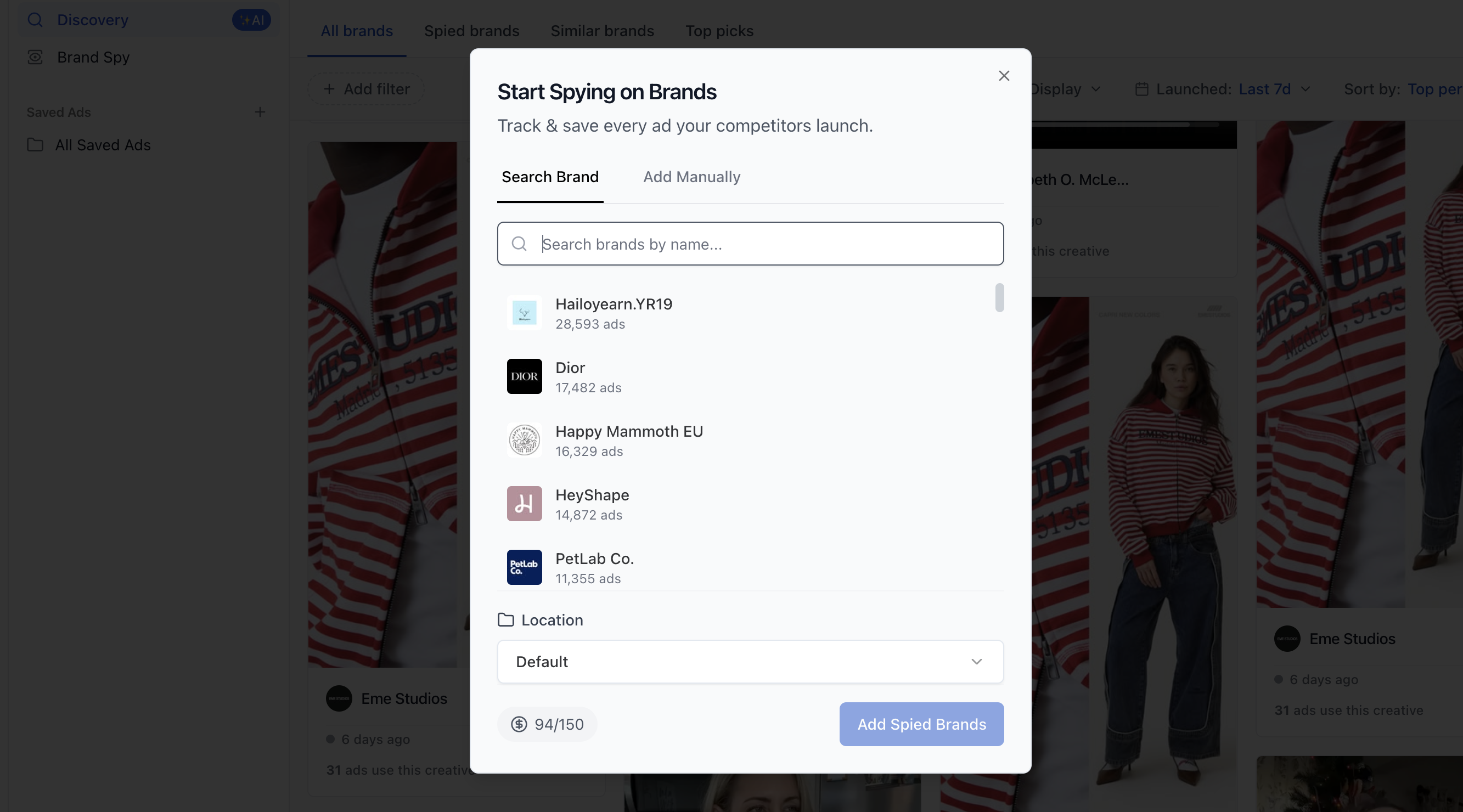
- Navigate to Ad Inspo > Brand Spy from the sidebar.
- Click Add Brand.
- Search for the brand by name or paste a Meta Ad Library URL.
- Select the brand from the search results.
- Choose a folder to organize it in, or create a new folder.
Organizing with folders
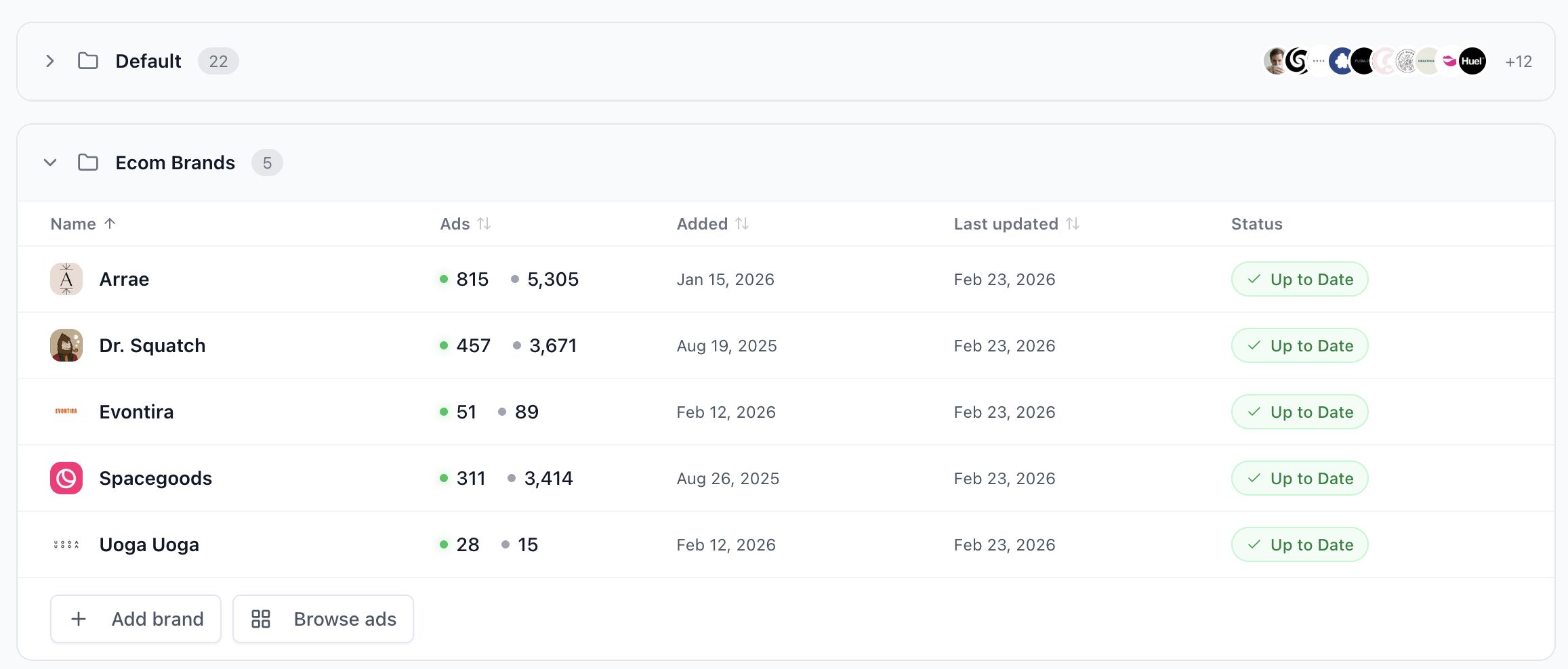
BrandSpy uses a folder system to keep your tracked brands organized:
- Create folders for different categories (e.g., "Direct Competitors", "Inspiration Brands").
- Move brands between folders or remove them.
- Each folder shows a table with brand name, active/inactive ad counts, date added, and sync status.
What you can see
Once you're following a brand, BrandSpy provides:
- Active and inactive ads — All currently running and past ads for the brand.
- Sync status — Shows whether the brand's data is "Up to Date" or "Syncing".
- Brand detail page — Click on any brand to see their full advertising profile and browse their ads.
Managing followed brands
- Browse ads — Jump directly into a brand's ad library.
- Move to folder — Reorganize brands between folders.
- Stop Spying — Remove a brand from your tracking list.
Use cases
- Monitor your top competitors' creative strategies week over week.
- Check the Spied brands tab in Discovery to see a feed of ads from all brands you're tracking.
- Spot winning creative approaches and adapt them for your own brand using Skaler's Ad Cloning tool.