
Hyros Integration: See Your Hyros Revenue Data Inside Skaler's Creative Analytics
Connect Hyros to Skaler and see which specific creatives are driving real revenue. Get creative-level attribution data with Hyros metrics inside your ad analytics dashboard.

 Follow on LinkedIn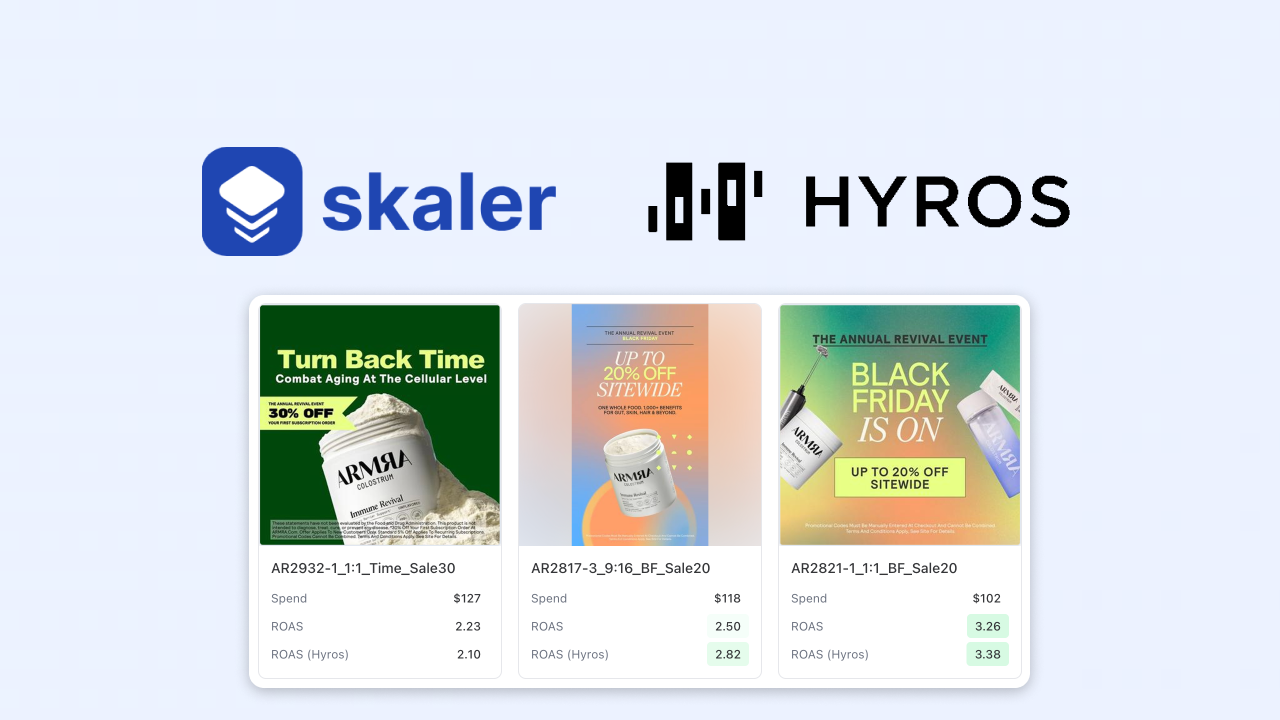
Hyros Integration: See Your Hyros Revenue Data Inside Skaler's Creative Analytics
If you're using Hyros to track ad attribution, you already know how powerful it is for fixing post-iOS14 tracking.
But while Hyros shows you which campaigns and traffic sources drive revenue, it doesn't tell you which specific creative elements are responsible for those sales.
That's where the Skaler × Hyros integration comes in.
It brings your Hyros performance data directly into Skaler's Creative Analytics, so you can instantly see which ad visuals, hooks, and formats are generating real revenue — not just clicks.
Why Connect Hyros to Skaler?
Creative decisions are often made on shallow metrics like CTR or CPM. Hyros fixes that by giving you true attribution data — and Skaler visualizes it at the creative level.
When connected, you'll see:
- Hyros revenue, ROAS, and CPA next to each ad creative
- Creative-level insights: which visuals or hooks drive Hyros-tracked conversions
- Simple visual reports you can share with clients or teammates
No sheets. No manual matching. Just clear insights that show which ads are actually profitable.
What You Can Do with the Hyros Integration
1. Instantly See Hyros Metrics in Your Ad Dashboard
Every creative in Skaler can show:
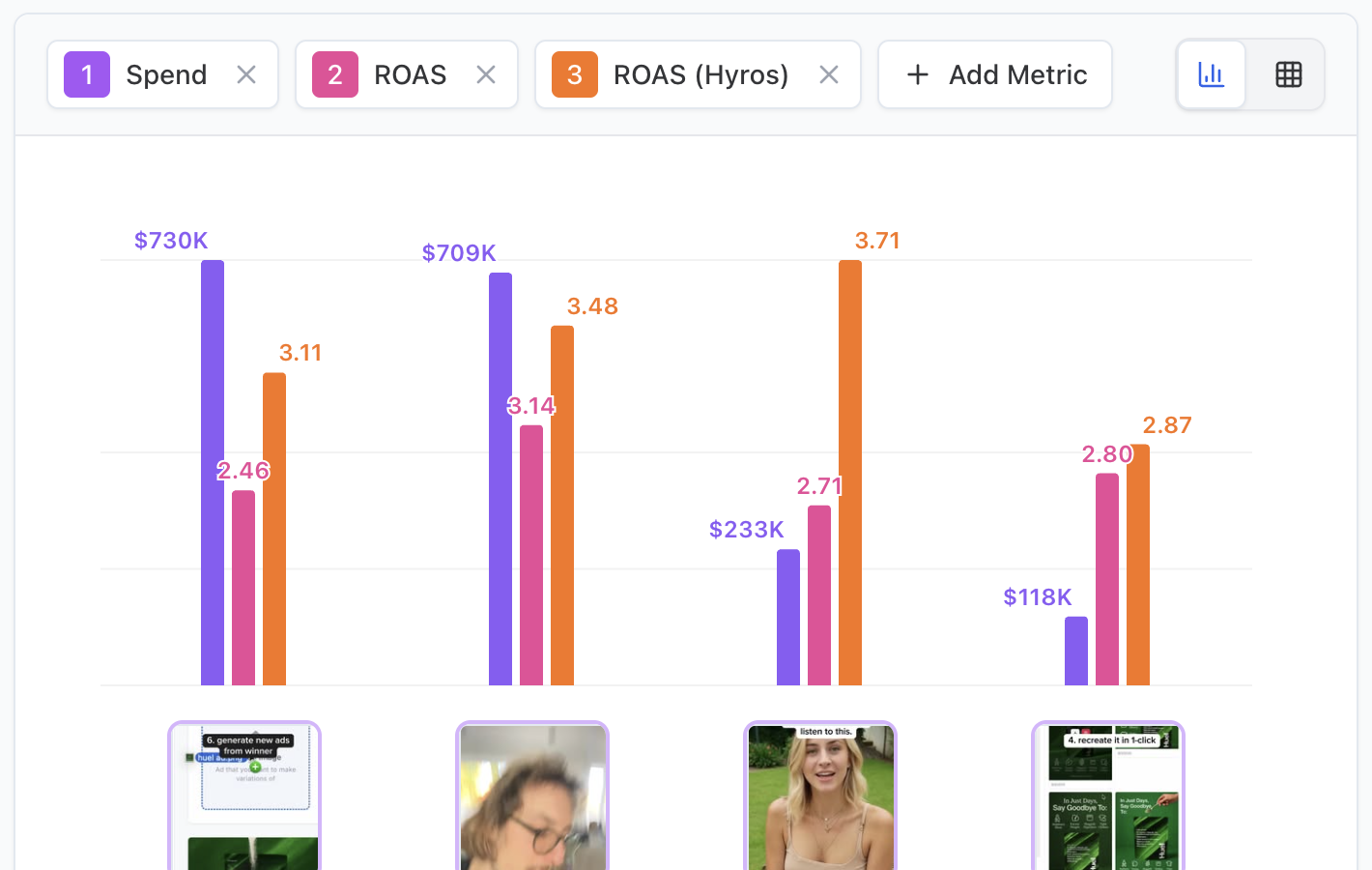
- Hyros-attributed revenue and ROAS
- Spend, CTR, Hook Rate... from Meta
- Combined views that highlight top-performing ads by actual tracked profit
You finally get the full picture of what's working creatively.

2. Compare Creative Concepts Using Real Attribution
Spot patterns that matter:
- Which hooks or visuals consistently convert via Hyros?
- Which ads look strong in-platform but fail on tracked sales?
Skaler merges creative analysis with revenue data, helping you scale only what truly performs.
3. Build Shareable Reports
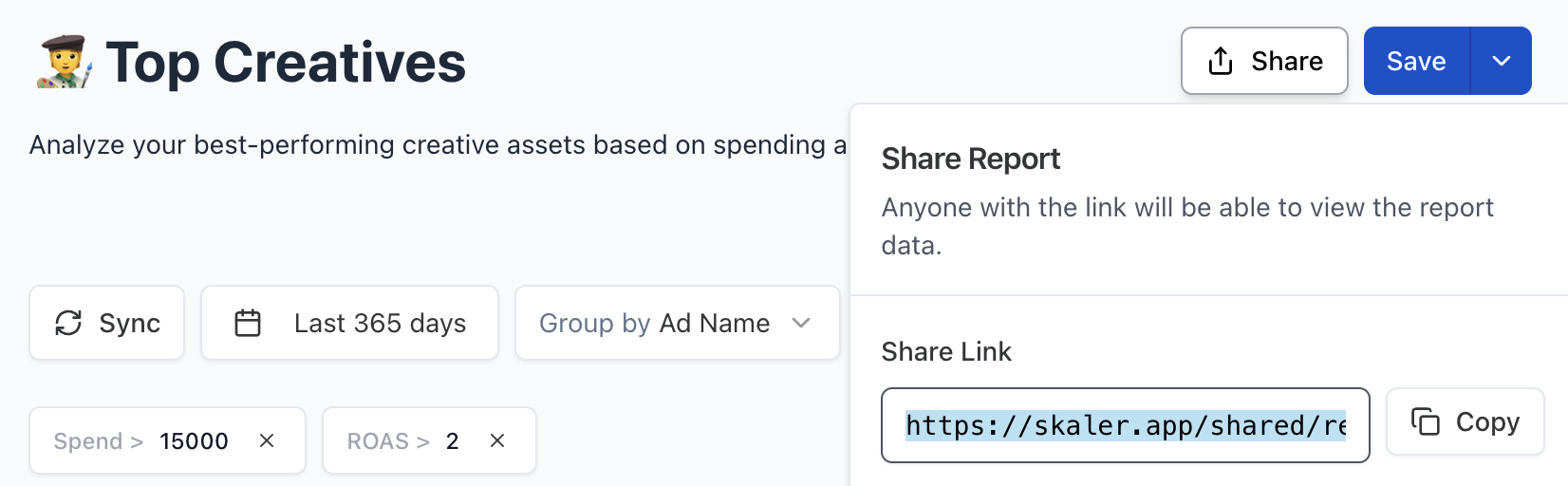
In a few clicks, export or share visual reports showing:
- Thumbnails, spend, CTR, and Hyros ROAS
- Filtered views by campaign, angle, or creative type
Perfect for client updates or internal creative reviews.
How to Connect Hyros to Skaler
It takes less than a minute:
- Get your Hyros API key – In Hyros, go to Settings → API Keys and copy your key.
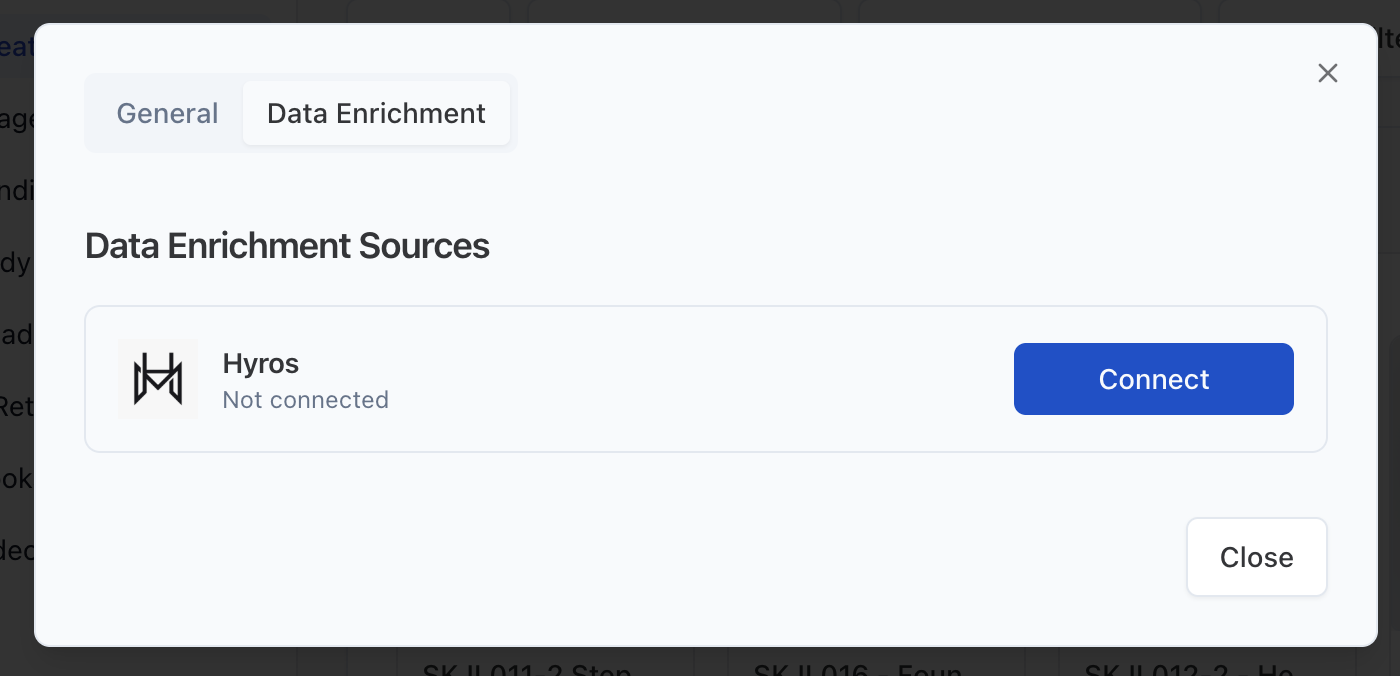
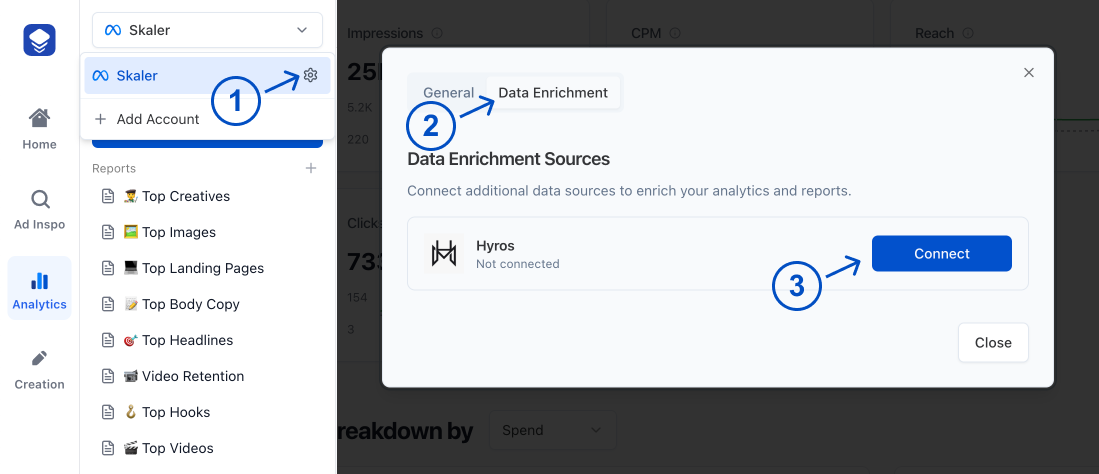
- Open Skaler → Analytics → Ad Account Settings → Data Enrichment – Paste your API key and click Connect.
- Skaler automatically syncs your Hyros data with your ad accounts.
Once synced, you'll see Hyros metrics appear inside Creative Analytics.
Why This Matters
Most teams still rely on platform metrics to judge creative performance. But after iOS tracking changes, that data often lies.
By integrating Hyros with Skaler, you're finally seeing:
Which creatives are driving revenue — not just clicks.
You can double down on what truly converts, and confidently kill what doesn't.
Start Using the Hyros Integration
If you already track your ads with Hyros, connecting it to Skaler takes your analysis to the next level.
See exactly which ads your Hyros data says are winners, visualize performance for your team, and create more of what works.
👉 Connect Hyros to Skaler and start making creative decisions backed by real revenue data.
Related Articles

The 80 Most-Saved Meta Ads of August 2026 (Free Swipe File)
We tracked the 80 Meta ads media buyers saved the most this month — from Seed and Loop to AI soap operas running across 9 ad sets. Browse all 80 free, plus the 4 patterns behind them.

Bulk Ad Launcher for Meta: Launch 100 Facebook Ads in One Click
Skaler's new Bulk Ad Launcher takes you from creatives to live Facebook ads in minutes — drag and drop up to 100 files, duplicate a winning ad set, and launch with copy, budgets, and tracking auto-filled.