
Bulk Ad Launcher for Meta: Launch 100 Facebook Ads in One Click
Skaler's new Bulk Ad Launcher takes you from creatives to live Facebook ads in minutes — drag and drop up to 100 files, duplicate a winning ad set, and launch with copy, budgets, and tracking auto-filled.

 Follow on LinkedIn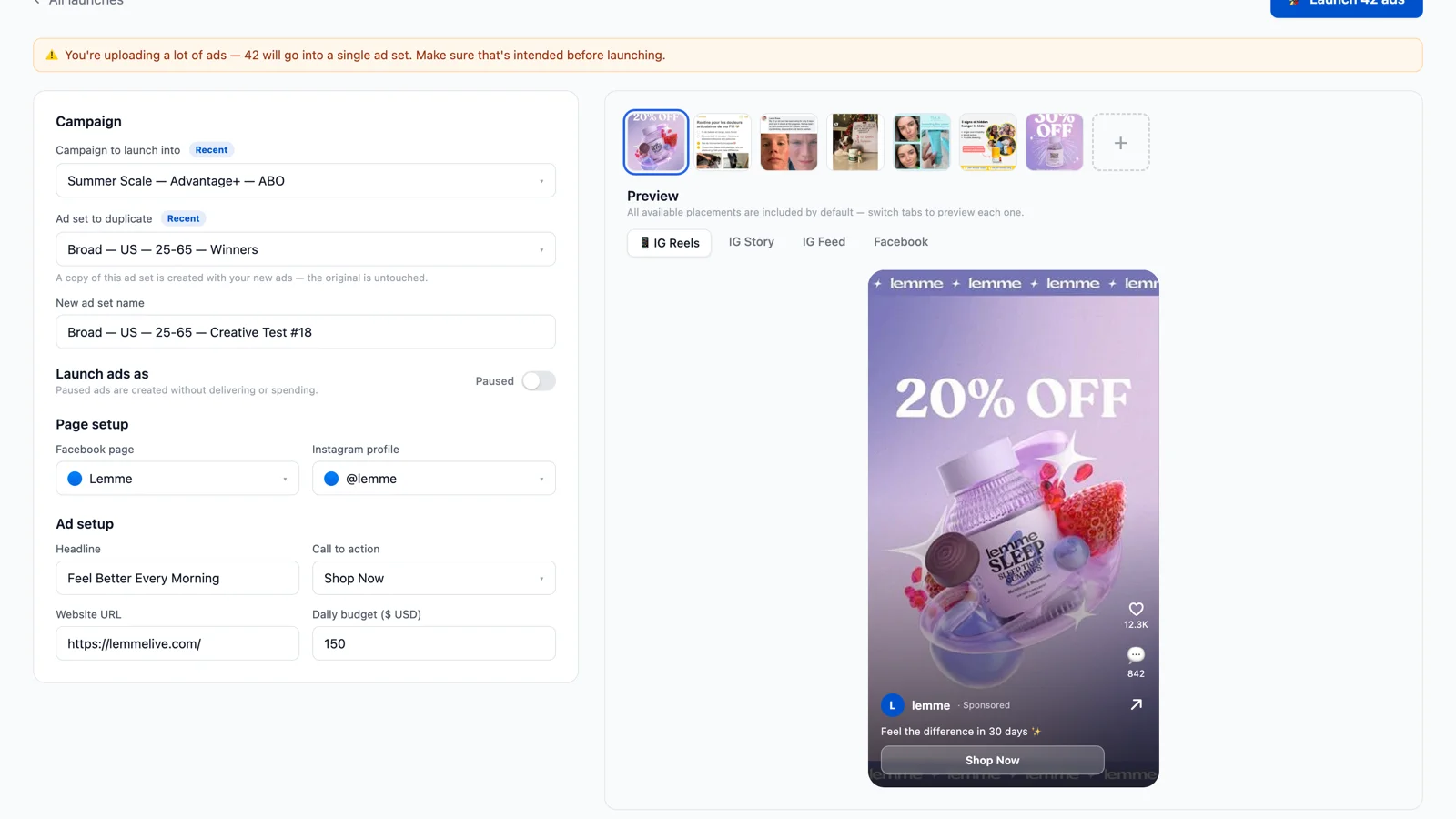
Bulk Ad Launcher for Meta: Launch 100 Facebook Ads in One Click
New in Skaler: find a winner, generate variations, and launch them — without opening Ads Manager.
Every media buyer knows the math: the accounts that win are the ones that test the most creatives. And every media buyer also knows the tax you pay for that velocity — an afternoon in Ads Manager duplicating ad sets, re-typing primary text, pasting UTM parameters, and uploading files one by one until your browser begs for mercy.
That tax is now optional. Skaler's new Bulk Ad Launcher takes you from "these 40 creatives are ready" to "these 40 ads are live in my campaign" in a few minutes. Drag and drop up to 100 images and videos, pick the ad set you want to duplicate, and hit Launch. Everything else — copy, budget, page, Instagram identity, tracking parameters — is pre-filled from what's already working in your account.
Why launching is the hidden bottleneck in creative testing
Creative volume is the strongest lever left on Meta. Advantage+ handles targeting; your creative diversity decides delivery. Meta's own guidance keeps pushing advertisers toward more concepts, more formats, more iterations per week.
But the workflow most teams run looks like this:
- Find a winning ad in your reports.
- Brief variations, wait for design.
- Download files, open Ads Manager.
- Duplicate the ad set. Rename it. Delete the old ads.
- Upload creative #1. Paste primary text. Paste headline. Pick the CTA. Fix the UTMs.
- Repeat step 5 twenty more times.
- Miss one URL parameter and discover it three days later in your attribution tool.
Steps 3–7 are pure friction. They don't make your ads better — they just slow down how fast you learn. When launching a batch costs an afternoon, teams test fewer creatives. When it costs five minutes, testing weekly batches of 20–50 variations becomes the default instead of the aspiration.
How the Bulk Ad Launcher works
The launcher lives inside Skaler's analytics workspace, right next to your reports — because launching is the last step of the same loop: analyze, create, ship.
1. Drop your creatives
Drag up to 100 images and videos anywhere onto the page. Each file becomes an ad, named after the file, with upload progress per creative. Videos get an auto-captured thumbnail (Meta requires one — you'd normally have to upload it manually).
2. Duplicate a winning ad set
Pick the campaign and the ad set you want to build on. Skaler creates a copy — your original ad set and its learnings stay untouched. The moment you pick it, the form fills itself:
- Budget pulled from the source ad set (respecting CBO campaigns)
- Facebook Page and Instagram identity detected from your existing ads
- Tracking parameters (yes, including your
{{campaign.name}}UTM templates) lifted from the ads you already run - Primary text, headline, and CTA suggested from your account's most-used copy — a "Load ad copy" panel ranks every text you've run by how many ads use it
Every ad also gets its own row in a review table where you can override the name, primary text, headline, and CTA per creative. Live placement previews show exactly how each creative renders in Reels, Stories, Feed, and Facebook — with your real page name and profile picture.
3. Hit Launch
Skaler creates the ad set copy and every ad through Meta's official Marketing API. Two details matter here:
- Nothing touches your ad account until you click Launch. Drafts live entirely on Skaler's side, so you can build a batch over days and fire it when ready.
- Paused is the default. Ads are created without delivering or spending, so you can do a final sanity check in Ads Manager before flipping them on. One click takes you straight to the new ad set.
Each launch becomes a job with per-ad statuses. If a video fails Meta's processing, only that ad fails — retry the job and Skaler picks up exactly where it left off, without duplicating the ad set or the ads that already went through.
🔍 Skaler shows you which creatives are winning, generates variations of them, and now launches the batch into your campaigns — one platform, whole loop. Try it free →
Built for testing velocity, not ad ops
A few deliberate choices in how this works:
Launch again in one click. After a launch, the most common next step is "same settings, new batch." The launcher keeps a launch log and lets you duplicate any previous launch's settings into a fresh draft — drop new creatives and go. Your most recent setup is even pre-filled automatically when you start a new launch.
Launch straight from generated creatives. Every image or video you generate in Skaler — ad clones, style variations, UGC shots — now has a Launch button. Find a winner in your creative analytics, generate ten variations, and push them into a live test without ever downloading a file.
Guardrails where they matter. Batches above 30 creatives get an "are you sure?" nudge (100 ads in one ad set is a choice you should make on purpose). Failed ads carry Meta's actual error message, not a generic "something went wrong."
What this unlocks: the loop actually closes
Ad intelligence tools have always stopped one step short. They show you what's working — yours in analytics, competitors' in tools like the Meta Ads Library — and then hand you back to Ads Manager for the part that actually moves spend.
With launching inside Skaler, the full cycle runs in one place:
- Analyze — spot your highest-ROAS creatives and fatiguing ads in seconds.
- Create — generate on-brand variations of the winners (see our ad creative best practices for what to vary).
- Launch — push the batch into a duplicated ad set, paused or live.
- Measure — the new ads show up in your reports, and the loop starts again.
Teams already running this loop manually report that launch day shrinks from hours to minutes — which usually means they stop batching tests monthly and start shipping weekly.
Frequently Asked Questions
Does Skaler change anything in my ad account before I launch? No. Creatives upload to Skaler's storage and settings save as a draft on Skaler's side only. Your campaigns, ad sets, and ads are untouched until you explicitly click Launch.
Can I launch ads as paused? Yes — paused is the default. Ads are created in your account without delivering or spending, so you can review everything in Ads Manager first. Flip the toggle to launch active if you're confident.
Does bulk launching work with video ads? Yes. Drop videos alongside images. Skaler uploads them via the Marketing API, waits for Meta's processing, and attaches an auto-captured thumbnail — the step most people forget.
Will the duplicated ad set reset my learnings? The new ad set starts its own learning phase, like any duplicate — that's standard Meta behavior and exactly what you want for a clean creative test. Your original ad set keeps running untouched.
How is this different from Meta's bulk import spreadsheets? Ads Manager's bulk import expects you to maintain a CSV with dozens of columns and exact formatting. Skaler replaces that with drag-and-drop plus auto-filled settings pulled from your live account — no spreadsheet, no column mapping, no silent formatting errors.
The takeaway
Creative testing wins accounts, and launching was the last manual, error-prone, genuinely boring step in the way. If your team has ever postponed a creative test because "nobody has time to set up 30 ads today," this is the fix.
Launch Your Next Creative Test in Minutes
Connect your Meta ad account, drop your creatives, and let your winning ad set fill in the rest.
Skaler finds your winners, generates the variations, and now launches them into your campaigns — up to 100 ads at a time, paused until you say go. Free to start →
Related Articles
The 80 Most-Saved Meta Ads of August 2026 (Free Swipe File)
We tracked the 80 Meta ads media buyers saved the most this month — from Seed and Loop to AI soap operas running across 9 ad sets. Browse all 80 free, plus the 4 patterns behind them.
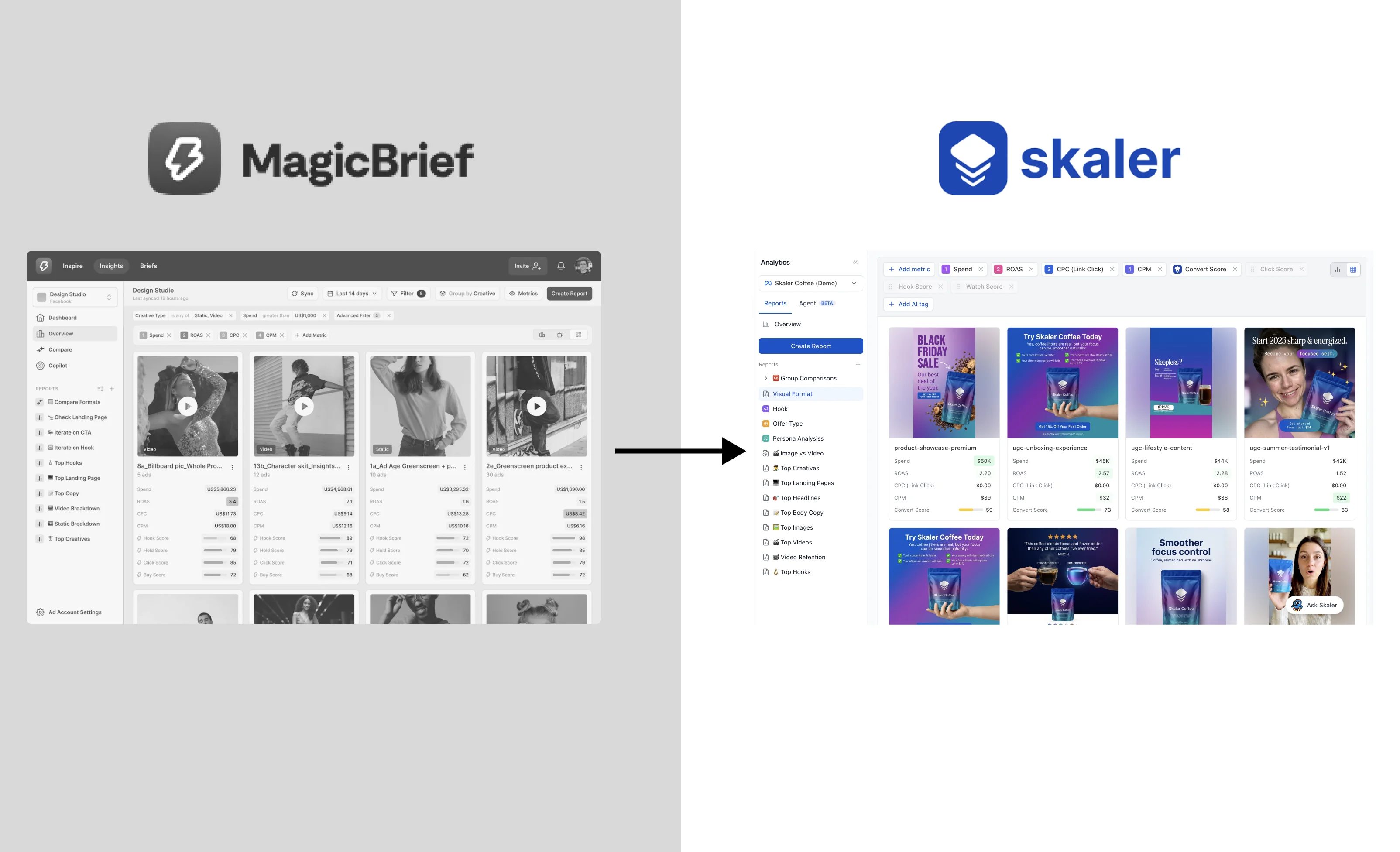
MagicBrief Is Shutting Down on July 31, 2026: The Best Alternative
MagicBrief is shutting down July 31, 2026 and the Inspire ad library isn't moving to Canva Grow. Here's the best alternative and how to migrate your boards and reports for free.