Meta Ads Library: The Complete 2025 Guide to Analyzing Competitor Ads
Learn how to use the Meta Ads Library (Facebook Ads Library) for competitor research in 2025. Discover its capabilities, limitations, and how to go beyond basic ad transparency with advanced creative intelligence tools.

 Follow on LinkedIn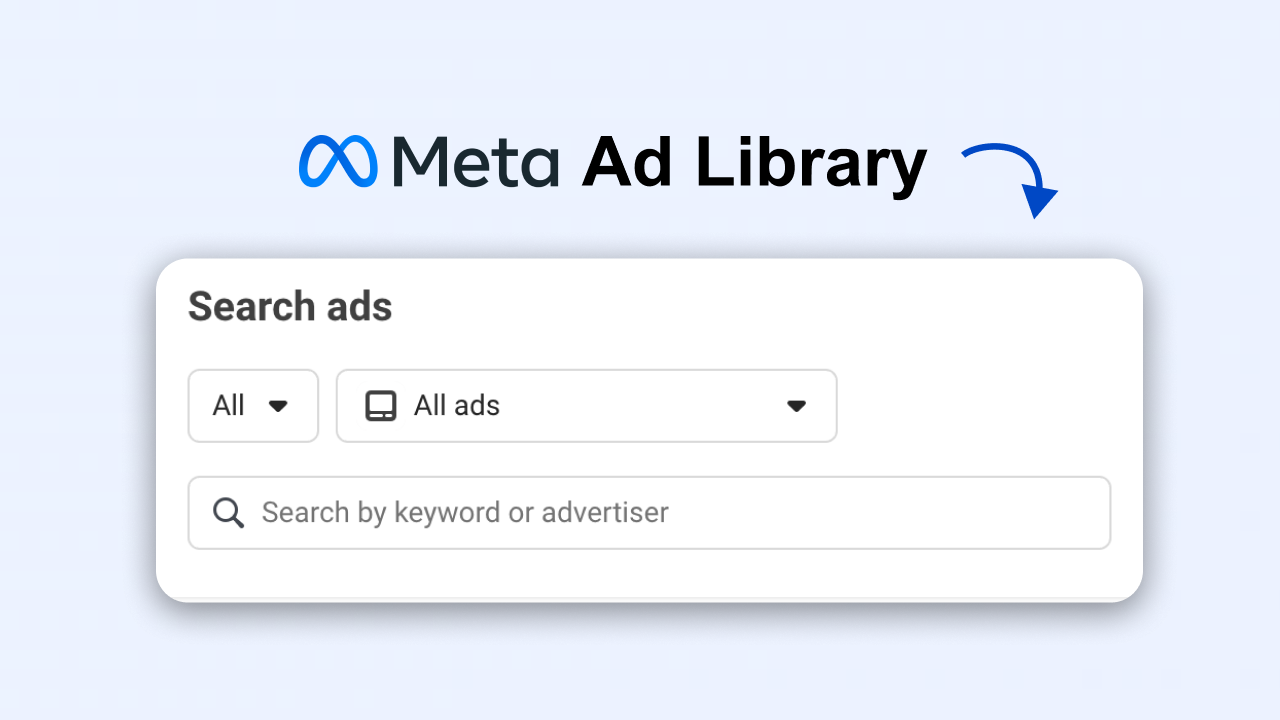
If you want to understand what's working across Meta platforms today, the Meta Ads Library (also known as Facebook Ads Library or FB Ads Library) is still the most accessible, free source of real-time ad intelligence.
But the library alone has limits — no performance metrics, no sorting, no true filtering beyond basics, and no way to turn insights into ready-to-launch creatives.
This guide breaks down everything you can (and can't) do with the Meta Ads Library in 2025 — and how modern performance teams go further using advanced tools built specifically for creative research, competitor analysis, and ad production.
What Is the Meta Ads Library?
The Meta Ads Library is a public, searchable archive containing every ad currently running on:
- Messenger
- Audience Network
- Threads
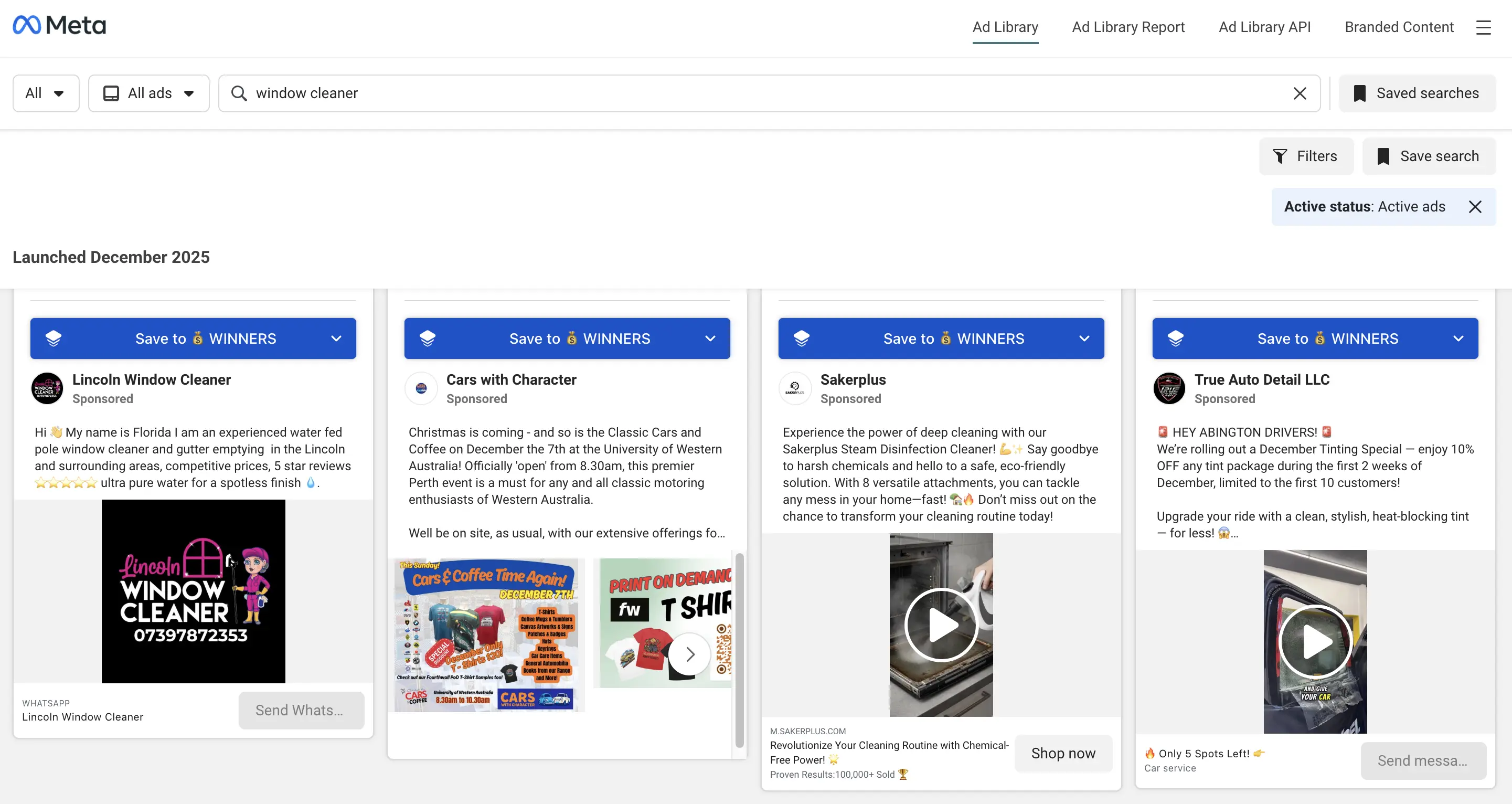 The Meta Ads Library interface — notice the "Save ad" button? We'll cover how to build a permanent swipe file later.
It was originally created for political transparency, but today it's widely used by marketers to:
- See competitors' active ads
- Spot creative trends
- Study formats, hooks, and angles in your niche
- Track seasonal campaigns
- Validate creative ideas before producing them
You don't need an account to access it — just go to:
How to Access the Meta Ads Library
Getting started is simple:
- Visit the link above
- Select your country
- Choose Ad Category → usually "All ads"
- Search by brand, keyword, or URL
You'll instantly see all ads that match your query, across all formats and placements.
How to Search the FB Ads Library (FB, Instagram, Messenger, Threads)
The FB Ads Library search bar supports several search methods:
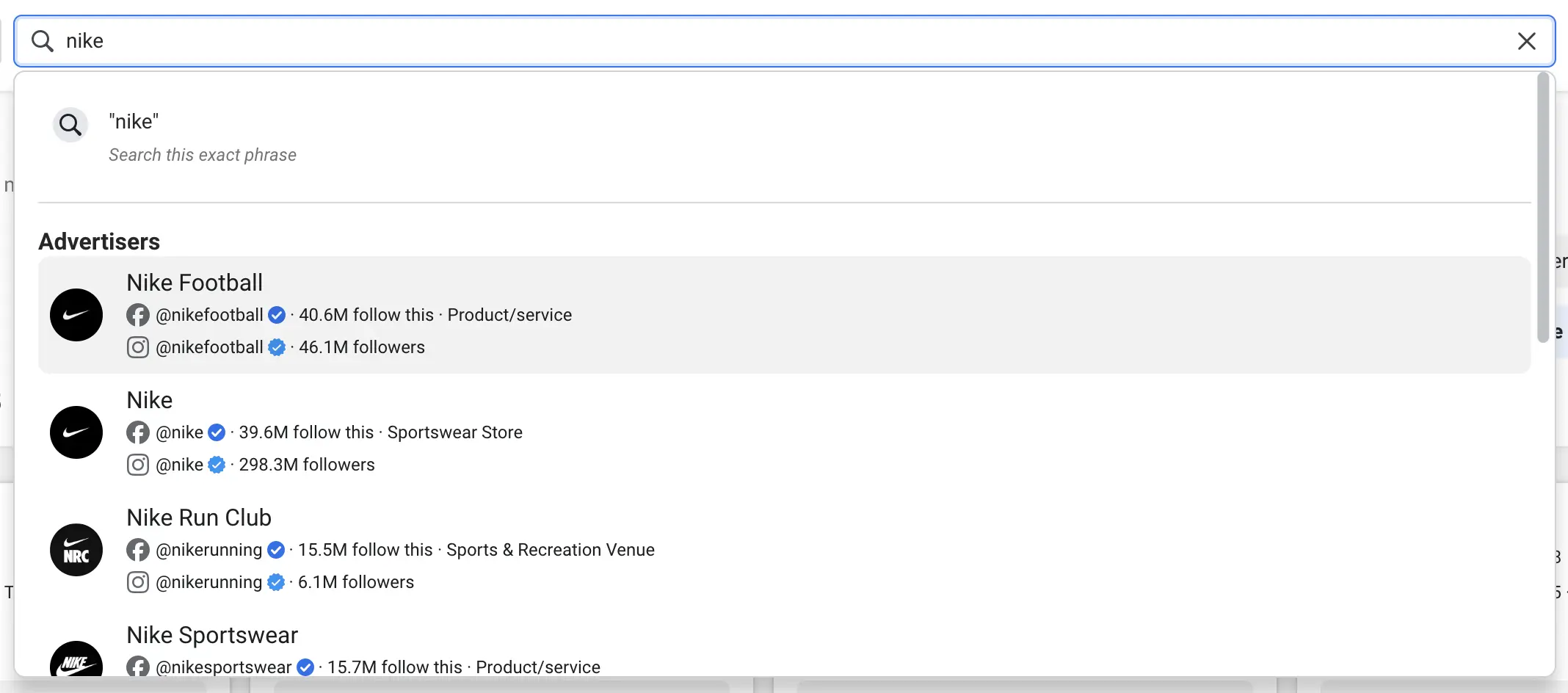
1. Brand Names
Search any advertiser to view every active ad they're running.
Examples:
- "Nike"
- "Sephora"
- "Gym equipment" (for industry clusters)
2. Keywords
Useful for creative pattern spotting.
Examples:
- "before after"
- "testimonials"
- "gluten free"
- "AI tool"
3. URLs
Paste a landing page URL to see if competitors run ads to it.
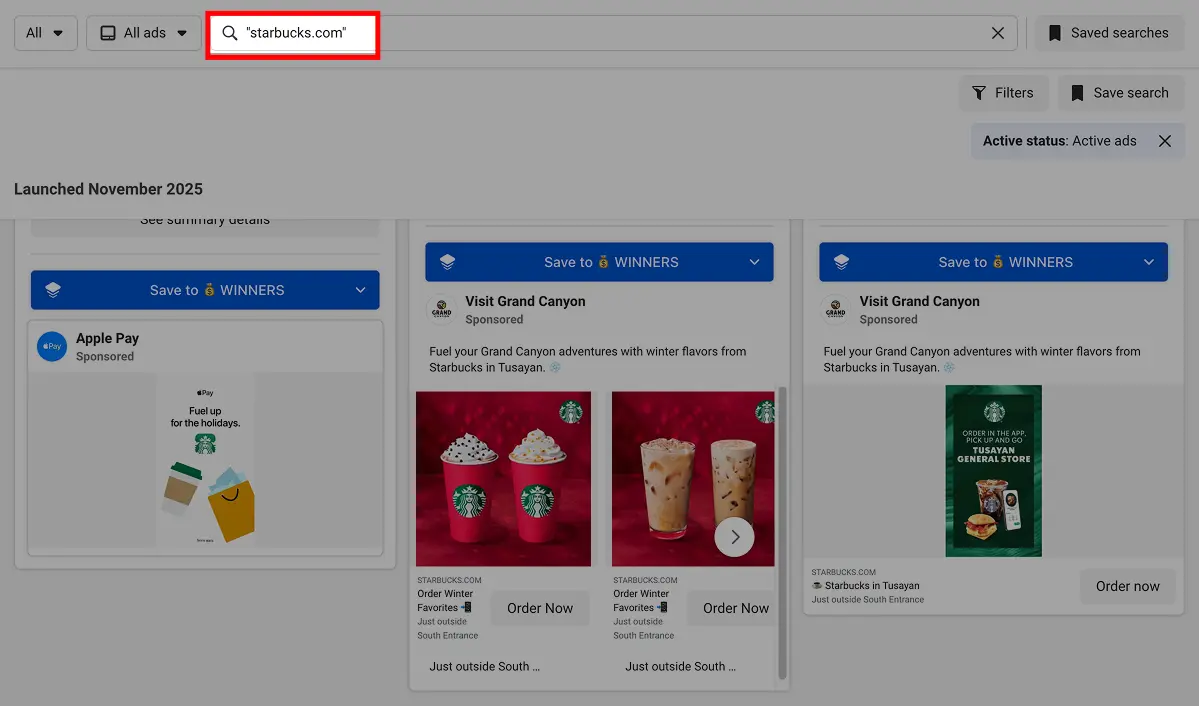 Tip (hidden feature): add double quotes between the search term to search for exact keyword or domain.
Filters You Should Actually Use
The default view is always too broad. These filters make the library usable:
Platform Filters
Choose between:
- Audience Network
- Messenger
Useful for understanding where competitors actually put budget.
Media Type
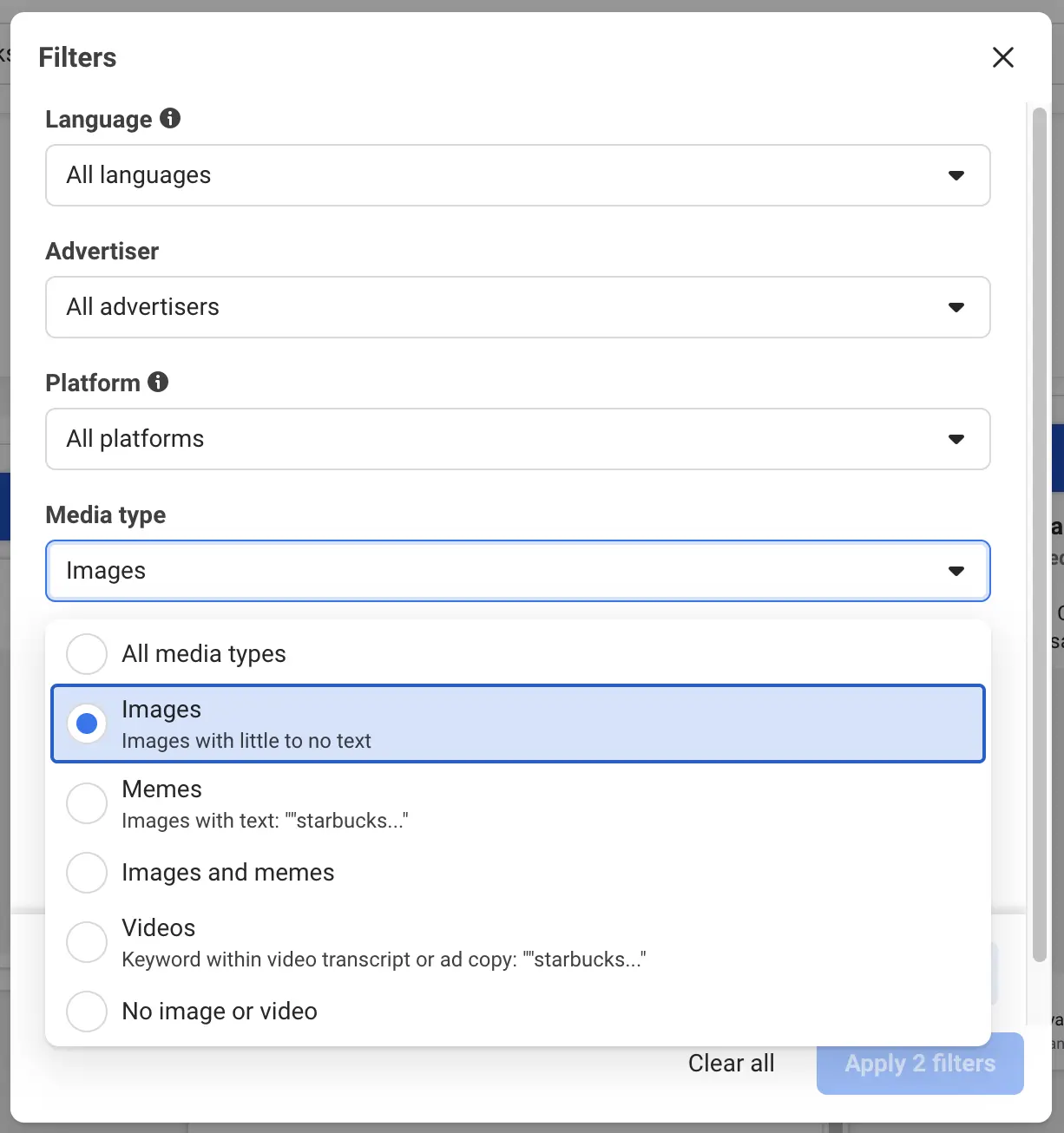
Filter by:
- Images
- Videos
- Carousels
- Stories
Language
If you operate globally, this reveals localization patterns.
Active Status
Always start with Active ads for the most accurate snapshot.
Impressions by Date
A powerful filter that most marketers ignore.
It helps identify:
- Seasonal campaigns
- "Always-on" creatives
- Trends over time
- Whether a creative has become evergreen
What You Can Learn From the Meta Ads Library
1. How Long an Ad Has Been Running
If a brand lets an ad run for 30, 60, or 180 days, that's a good sign it's profitable. Long-running ads typically indicate strong performance.
2. Creative Trends in Your Niche
You'll quickly notice patterns:
- Testimonial-heavy ads
- UGC videos
- "Problem → Solution" formats
- Before/after results
- Carousel-style educational ads
3. Messaging Angles
Study:
- Hooks
- CTAs
- Positioning
- Value propositions
4. Seasonal Strategy
Filter by dates to see who advertises during:
- Black Friday
- Q1 slimming season (New Year ads)
- Back-to-school
- Valentine's Day
- Christmas
5. Localization / Market-by-Market Changes
Some brands run totally different creatives in:
6. EU Transparency Data (2024–2025 Update)
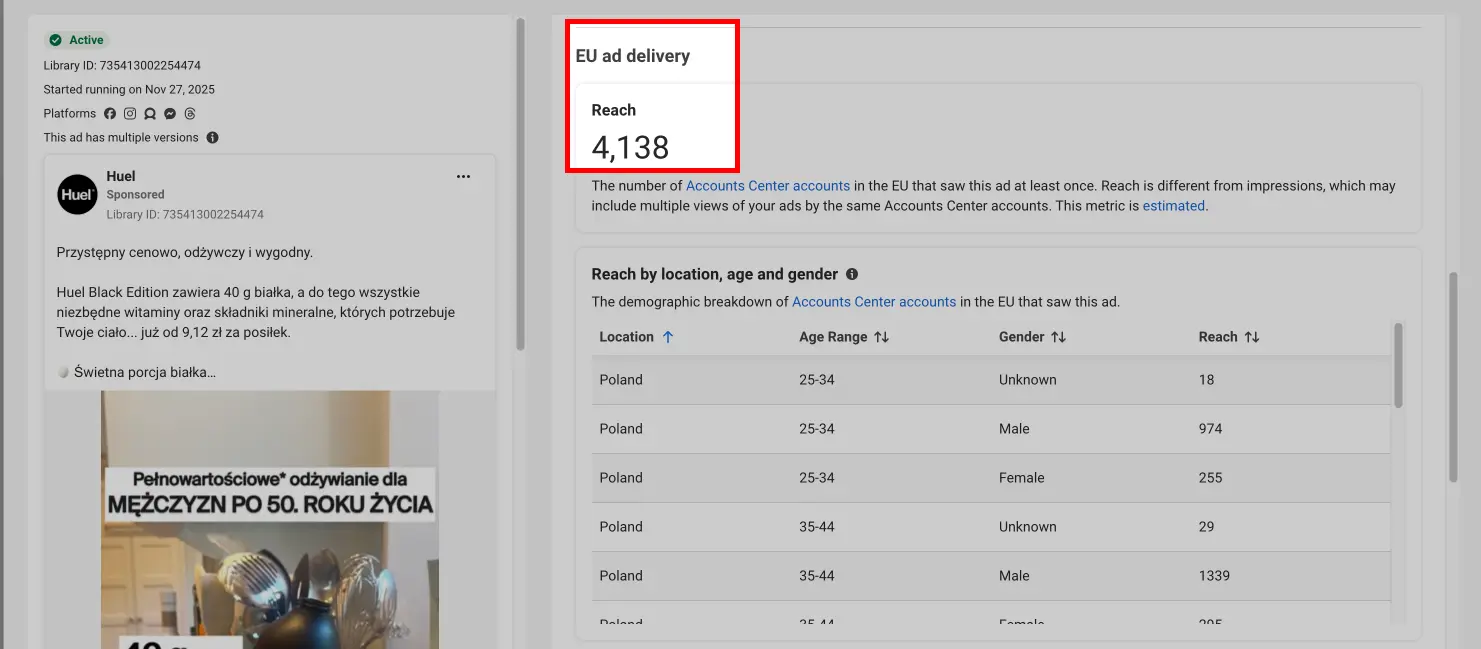
For EU countries, you can now see:
- Estimated reach per country
- Age segments
- Gender distribution
- Included/excluded targeting regions
The FB Ads Library Is Limited (Especially for Performance Teams)
Marketers quickly hit walls:
❌ No performance metrics
❌ Can't sort by longevity, spend, or duplicated ads
❌ No AI search for creative elements
❌ No automated tagging
❌ No way to save ads permanently
❌ No insight into hooks, landing pages, or creative patterns
❌ No export, no clustering, no analysis
❌ Slow and clunky
❌ Ads disappear when inactive
The Meta Ads Library is transparency, not a performance research tool.
This is why modern teams use a dedicated creative intelligence platform — one that keeps all Meta ads, enriches them with performance signals, and turns insights into testable creatives.
This is where tools like Skaler come in.
How Skaler Expands What the Meta Ads Library Lets You Do
Skaler builds on top of the raw public data and adds layers the Meta Ads Library simply doesn't have — making it a purpose-built engine for fast creative research, competitive analysis, and ad production.
Below is what you can do inside Skaler that you can't do in the Meta Ads Library.
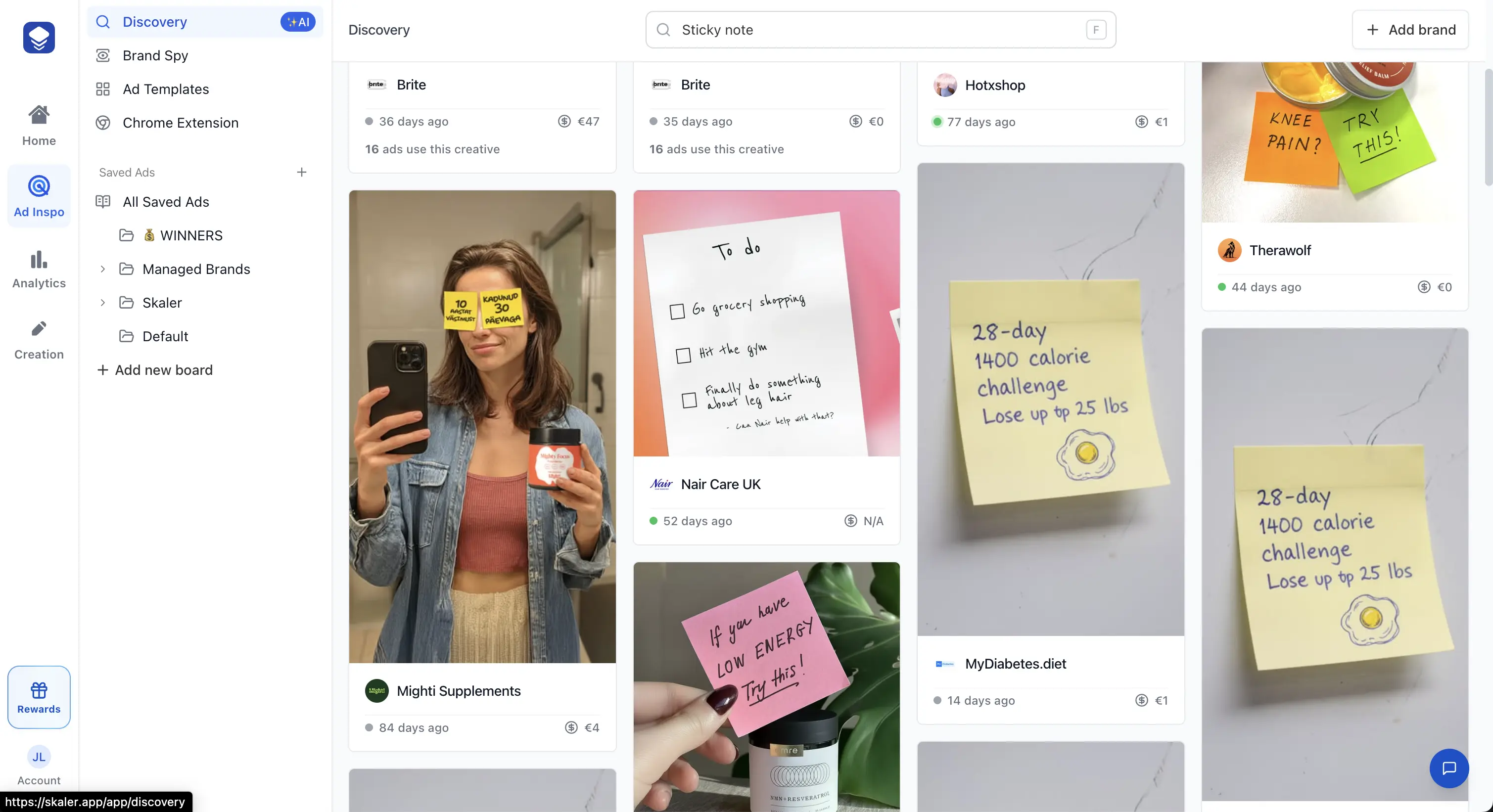
1. AI Search for Creative Elements (Ultra-Specific)
Instead of manually scrolling, Skaler lets you search for:
- "testimonial ads"
- "before/after ads"
- "sticky note ads"
- "ugc selfie video"
- "problem-solution ads"
- "explainer ads"
- "green screen"
- "unboxing"
- "viral hook structure"
The AI finds ads even if the advertiser doesn't use those words.
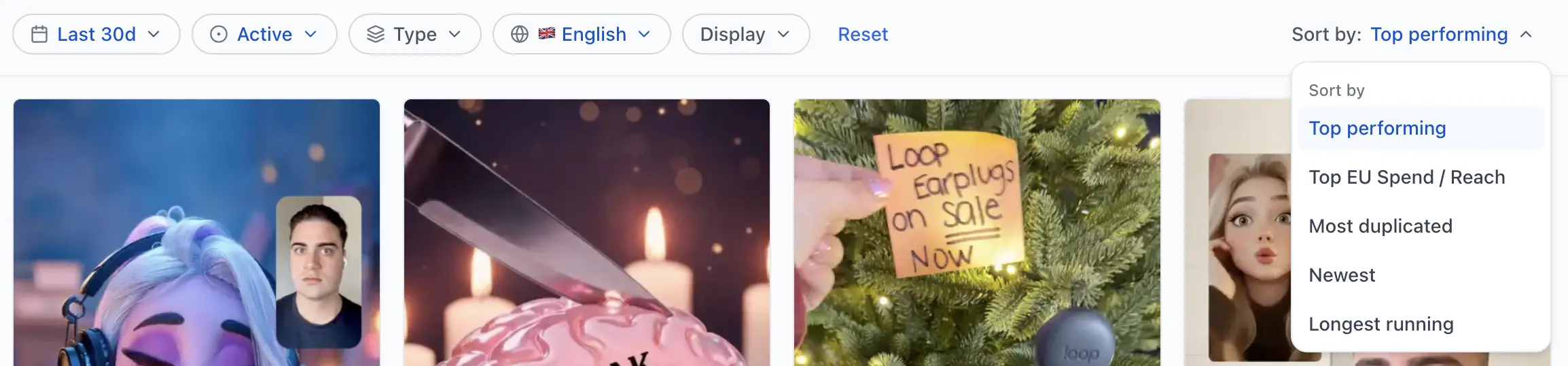
2. Sort by Performance Signals (Impossible in Meta Library)
Skaler automatically ranks ads based on:
- Longest-running ads
- Most duplicated creatives
- Highest EU reach
- Ad variants count
- Placement breadth (IG-only, FB-only, omnichannel)
These reveal what's actually working for your competitors.
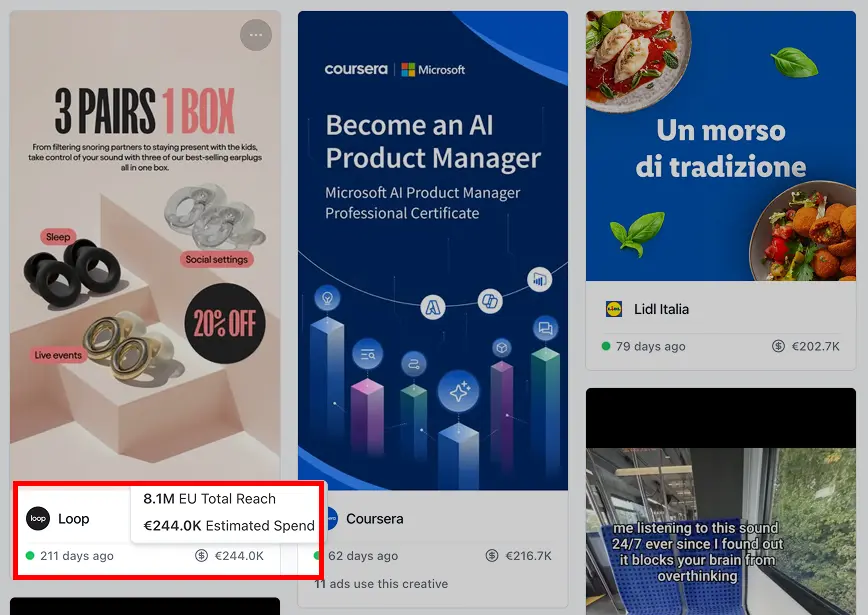
3. See Competitor EU Reach & Spend Estimates
The Meta Ads Library shows this only in deep EU transparency — and only in a clunky way.
Skaler:
- Surfaces EU reach directly
- Sorts ads by reach
- Shows country-level breakdown
- Makes competitor-backed spend patterns visible
This uncovers where brands push the hardest.
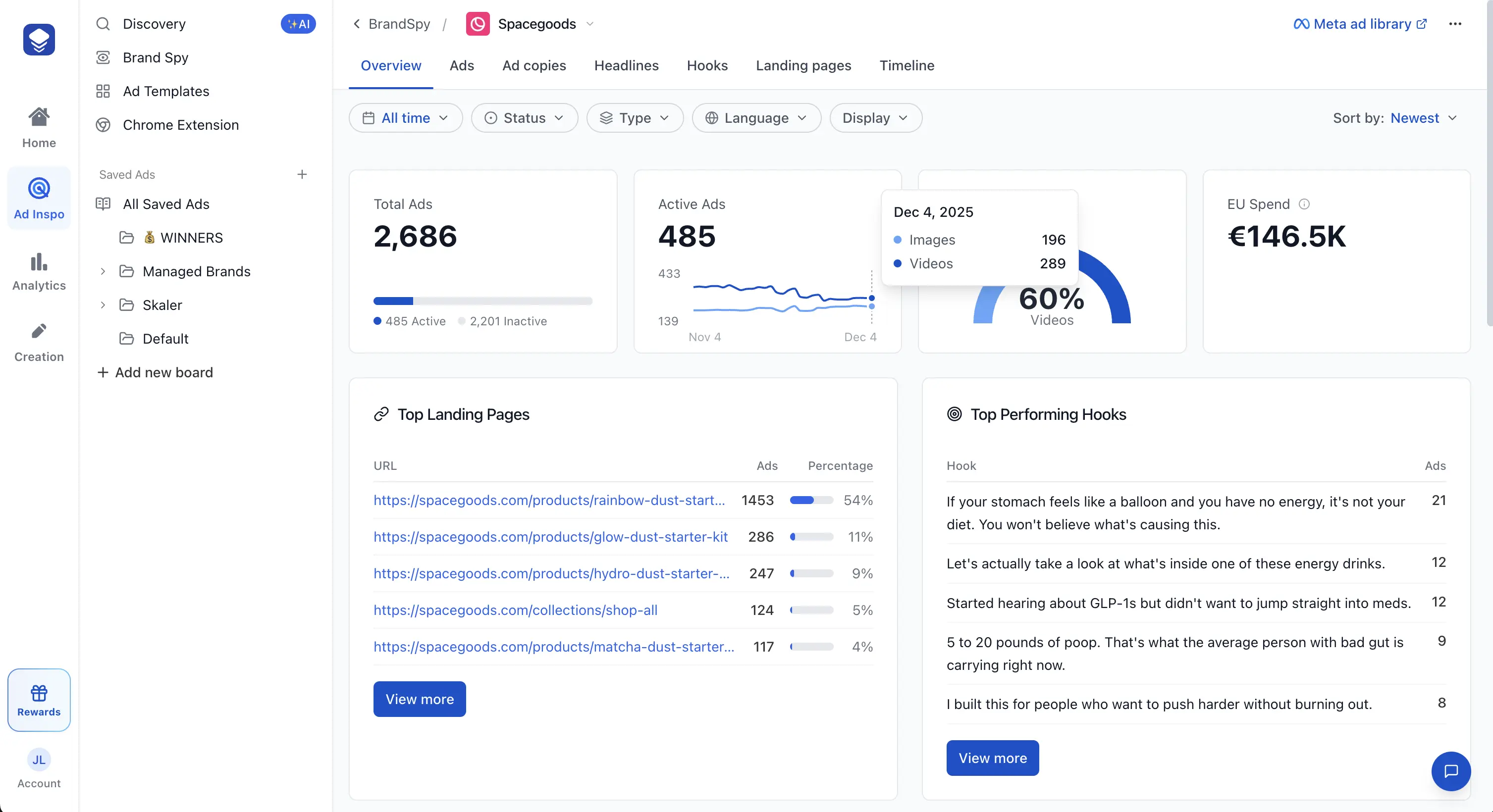
4. Creative Hooks, Landing Pages & Messaging Patterns
Skaler automatically extracts:
- Top hooks
- Headlines
- Hero frames
- Common scripts
- Recurring visual elements
- Landing page URLs
You instantly see the patterns behind high-performing ads.
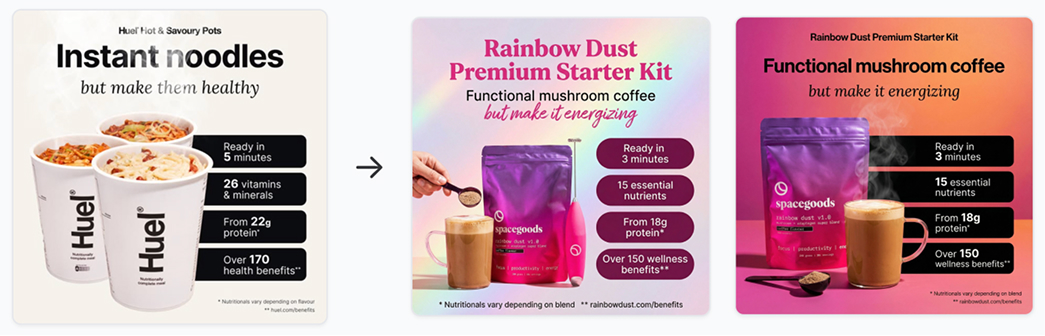
5. Instant Ad Cloning (Adapt Any Competitor Ad to Your Brand)
This is where research turns into production.
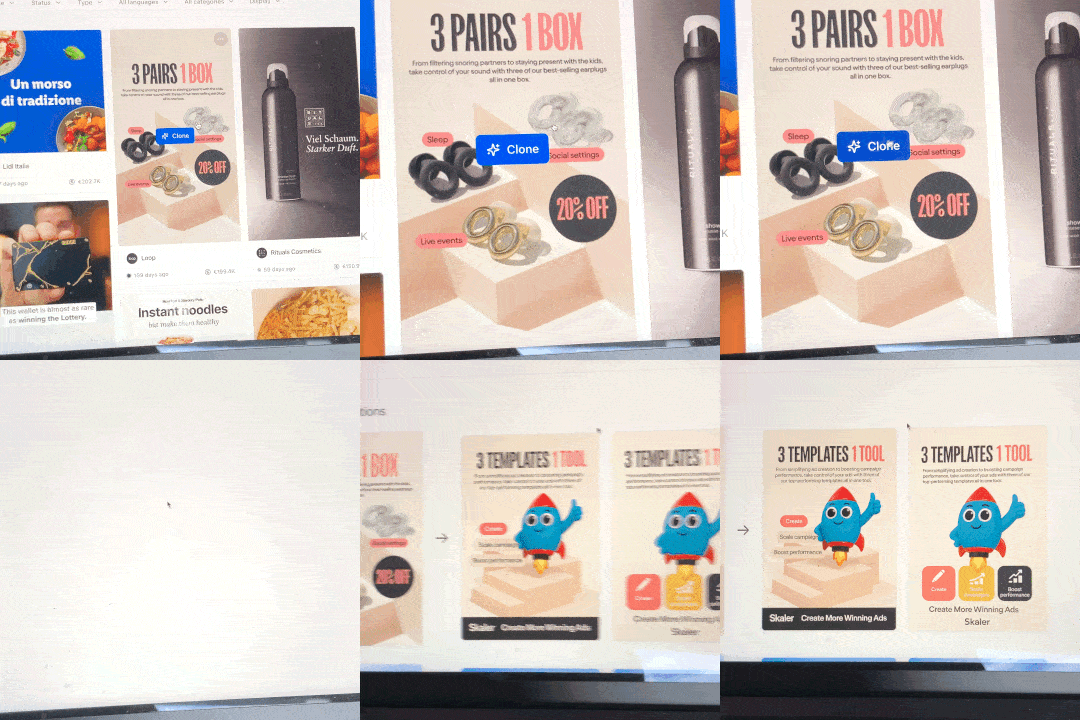
Inside Skaler you can:
- Import an ad from the library
- Extract its winning structure
- Generate a brand-safe version in your style
- Produce image or video variants in seconds
Meta's library shows what works.
Skaler lets you create it.
6. Save Ads Directly From the Meta Ads Library (and LinkedIn, TikTok)
One of the biggest frustrations with the Meta Ads Library is that you can't save anything. You find a great ad, close the tab, and it's gone forever (or worse - the link to ad becomes dead and is lost forever).
With the Skaler Chrome Extension, a "Save ad" button appears directly inside the Meta Ads Library (you might have noticed it in the screenshot above). One click, and the ad — creative, copy, and metadata — is saved to your boards permanently.
It works the same way on:
- LinkedIn Ads Library
- TikTok Creative Center
- TikTok Ad Library
- TikTok Creative Center
From there, you can organize saved ads into collections, add notes and share boards with your team. No more screenshots, spreadsheets, or lost inspiration.
7. Faster Navigation & Modern UI
Unlike the Meta Ads Library, Skaler gives you:
- Infinite scroll
- Lightning-fast loading
- Saved collections with folders
- AI analysis & transcripts for every ad
- Team sharing & collaboration
Great for agencies, in-house teams, and founders who need fast inspiration without the clunky Meta interface.
When Should You Use the Meta Ads Library vs Skaler?
| Task | Meta Ads Library | Skaler |
|---|---|---|
| See all active ads | ✅ | ✅ |
| Filter by platform/date/media type | Basic | Advanced |
| Competitor research | Limited | Deep |
| Sort by performance | ❌ | ✅ |
| AI creative search | ❌ | ✅ |
| EU reach analysis | Partial | Full + sortable |
| Save ads permanently | ❌ | ✅ (via Chrome Extension) |
| Save from LinkedIn/TikTok too | ❌ | ✅ |
| AI insights (hooks, formats) | ❌ | ✅ |
| Instant ad cloning | ❌ | ✅ |
| Creative production | ❌ | ✅ |
Final Thoughts
The Meta Ads Library (aka Facebook Ads Library or FB Ads Library) remains an essential starting point for understanding what's being advertised across Meta platforms.
But if you're serious about creative research, competitor intelligence, or increasing your output — you'll quickly outgrow it.
Skaler gives you a faster, deeper, and more actionable view of the same ads, layered with AI search, performance signals, audience transparency, and instant creative generation.
If you want to turn Facebook ad research into winning ads — faster:
👉 Try Skaler and upgrade your ad workflow from "manual scrolling" to "high-velocity creative engine."
Related Resources
- Top 9 Brands Crushing EU/UK Facebook Ads — Real examples from brands spending €100K+/month with estimated spend
- Top 10 Performance Marketing Brands in 2025 — Analysis of brands running 1,000+ ads each
- Facebook Ads Not Converting? 15 Fixes for 2025 — Diagnose and fix Facebook ad performance issues
- LinkedIn Ad Library Guide — Master LinkedIn's ad library for B2B research
- TikTok Creative Center Guide — Master TikTok's ad library and creative tools
- Best AI Ad Generators in 2025 — Compare tools for creating ads with AI
- How to Analyze Ad Performance — A data-driven approach to creative analytics
- 5 Ad Creative Best Practices — Strategies that actually drive conversions
- Instagram Ad Examples — See what's working on Instagram right now
- Social Media Ad Examples — Cross-platform ad inspiration
Get Help
Have questions? We're here to help:
- In-app support: Click the help icon in the bottom right
- Email: hello@skaler.app
Ready to go beyond the Meta Ads Library? Start free with Skaler
Related Articles
The 80 Most-Saved Meta Ads of August 2026 (Free Swipe File)
We tracked the 80 Meta ads media buyers saved the most this month — from Seed and Loop to AI soap operas running across 9 ad sets. Browse all 80 free, plus the 4 patterns behind them.
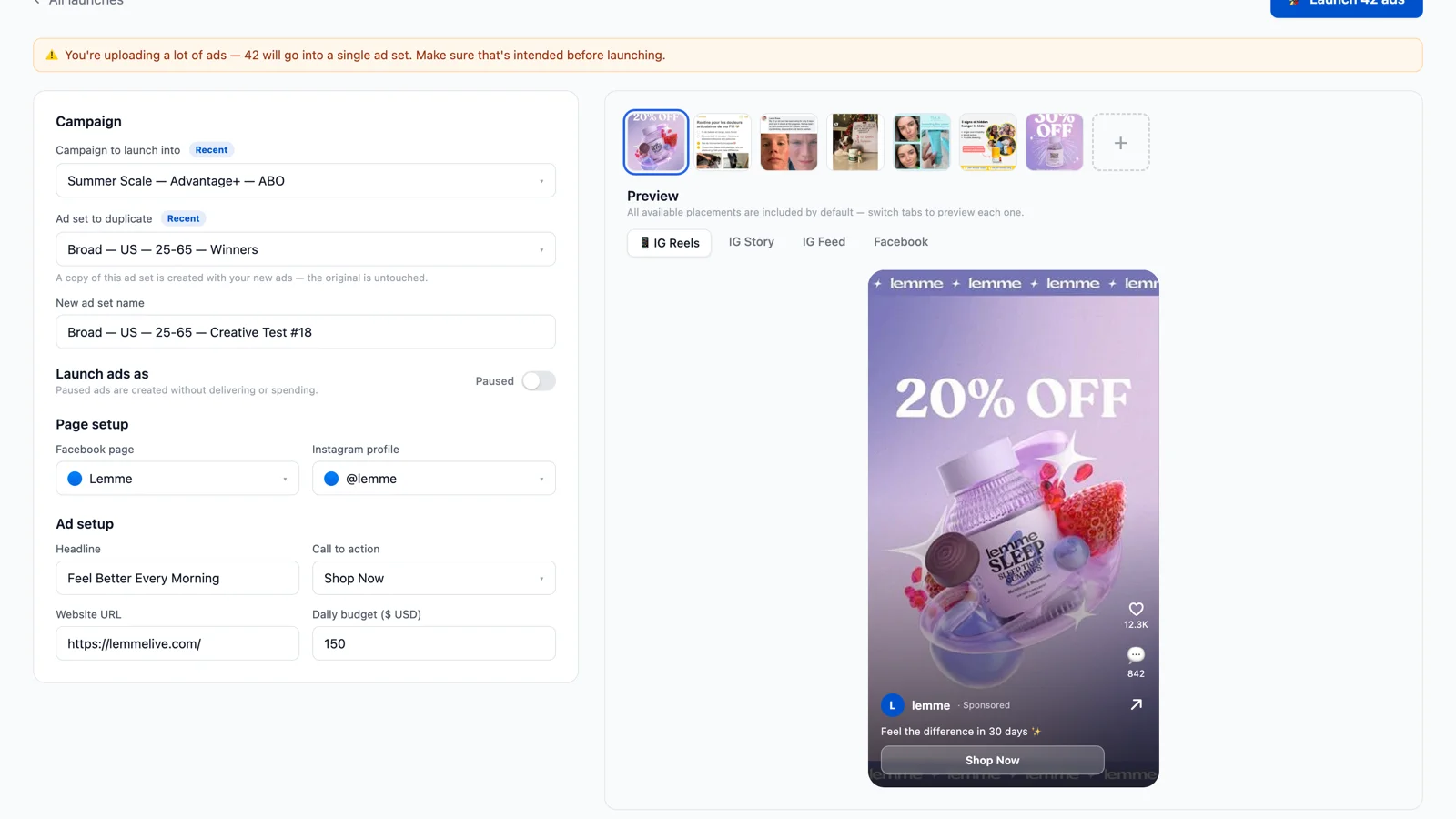
Bulk Ad Launcher for Meta: Launch 100 Facebook Ads in One Click
Skaler's new Bulk Ad Launcher takes you from creatives to live Facebook ads in minutes — drag and drop up to 100 files, duplicate a winning ad set, and launch with copy, budgets, and tracking auto-filled.