
TikTok Creative Center: The Ultimate Toolkit for Ad Creativity in 2025
Master TikTok's Creative Center for ad research in 2025. Learn how to find trending ads, discover viral sounds, use AI tools — and how to save and organize TikTok ads for your swipe file.

 Follow on LinkedIn
TikTok has evolved into one of the most powerful advertising platforms worldwide. With over 1.5 billion monthly users as of late 2024, trends are born on TikTok, conversations take off, and ads can go from zero to millions of impressions overnight.
To help advertisers tap into what content truly resonates, TikTok offers the Creative Center — an official, free hub of creative resources that shows you what's working on the platform, from viral hashtags and songs to top-performing ads across industries.
This guide breaks down everything you can do with the TikTok Creative Center in 2025 — its key features, limitations, and how to supercharge your TikTok ad research with advanced tools.
What Is TikTok Creative Center?
TikTok Creative Center (sometimes called the TikTok Ad Library) is a free, public hub on TikTok For Business where advertisers and creators can:
- Discover the latest trends
- View success cases
- Access creative tools for making high-performing TikTok ads
It's TikTok's one-stop shop for creative inspiration and analytics — providing insight into what's trending on the platform, from popular hashtags and songs to the top ads running in various regions.
What you can do in TikTok Creative Center:
- Analyze real ad performance — views, likes, click-through rates, and more
- Identify creative patterns behind successful ads
- Stay updated on emerging cultural trends on TikTok
- Globally accessible — research trends in your region or any other
Best of all, much of the platform is available without any login. You can start exploring right away.
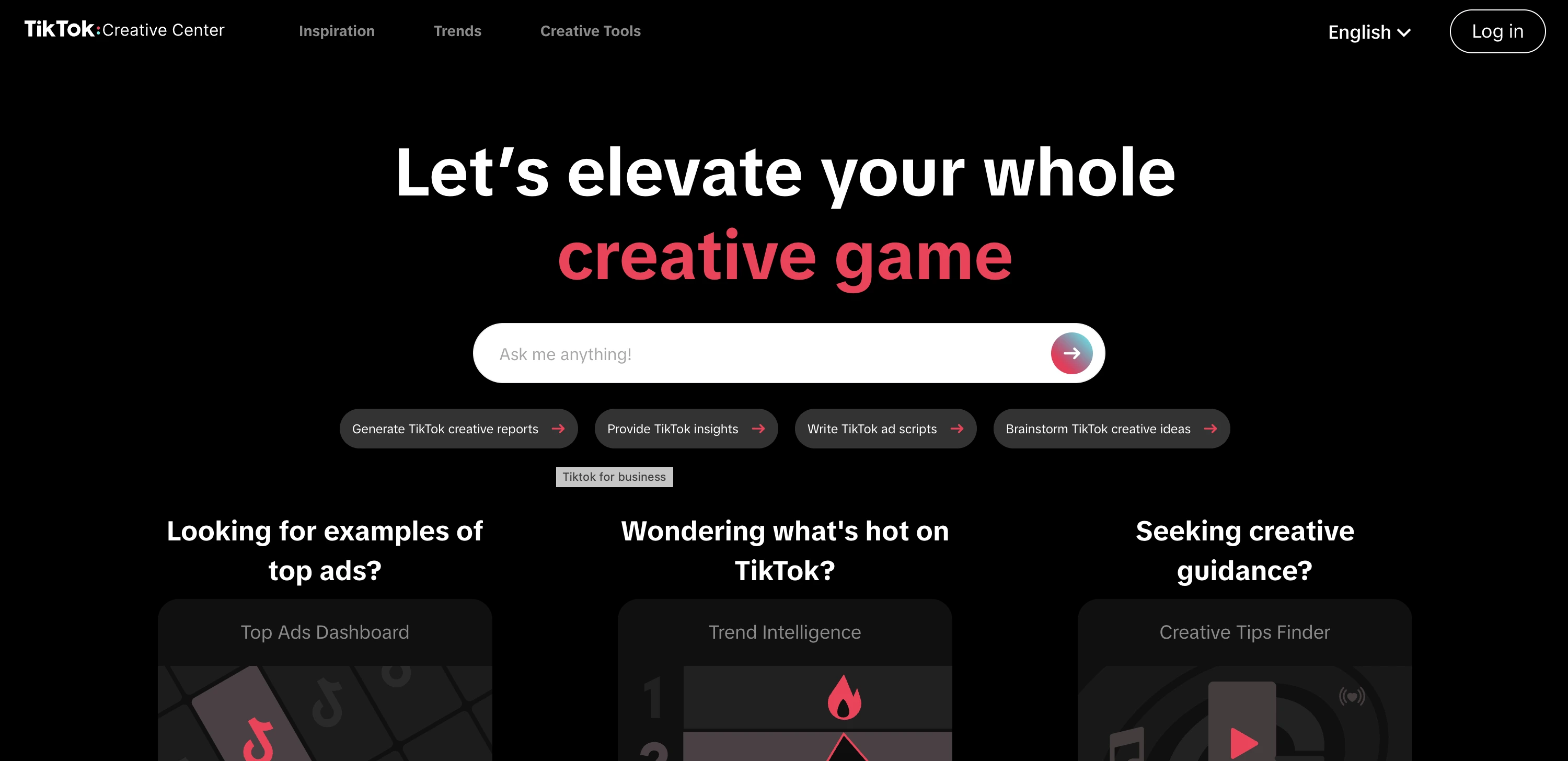
👉 Visit TikTok Creative Center
How to Use TikTok Creative Center (Key Features)
The Creative Center is divided into three major sections — Inspiration, Trends, and Creative Tools — each with unique features to inform your marketing efforts:
Inspiration
This is where you can spy on TikTok's top-performing creative assets and ideas.
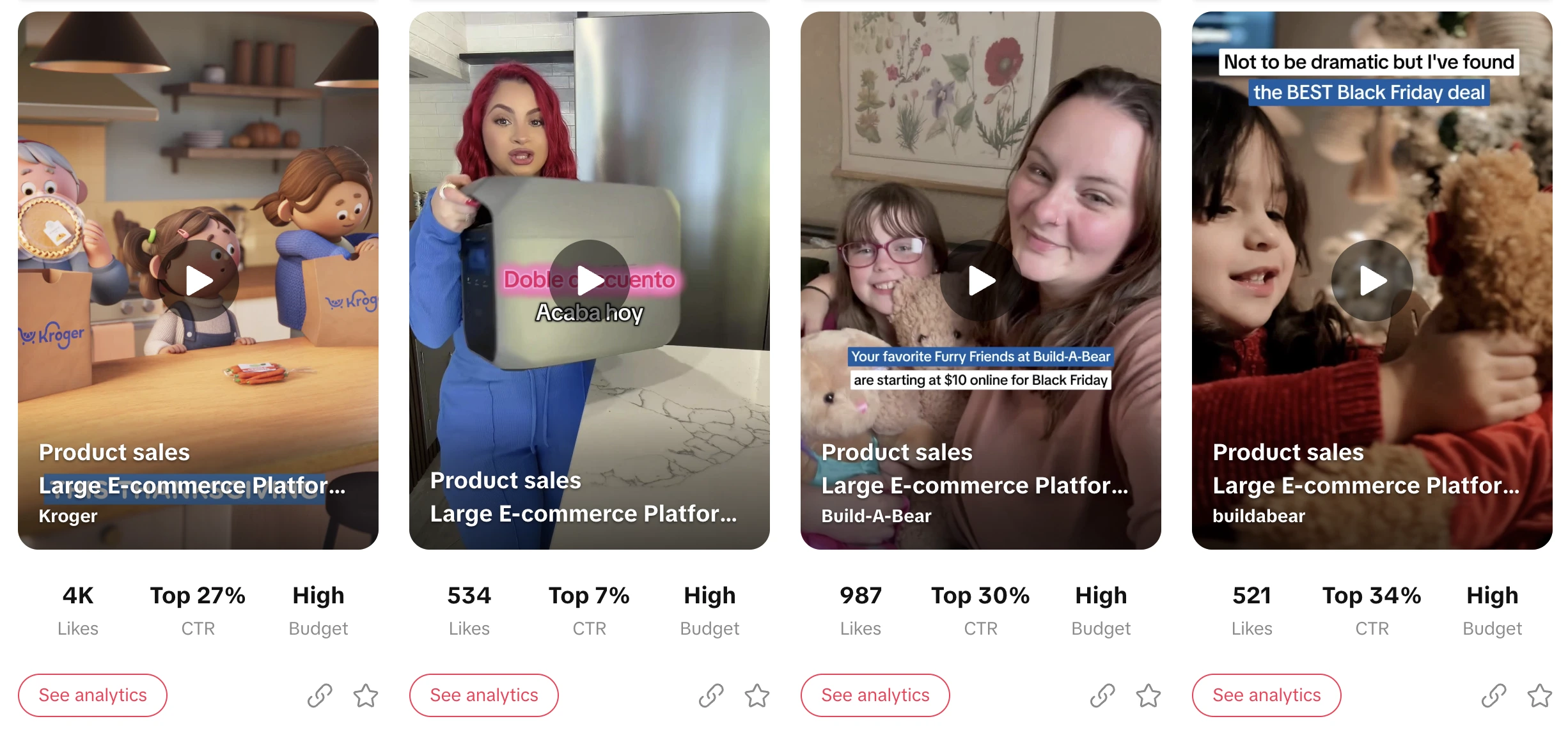
Top Ads Dashboard:
- Showcases high-engagement TikTok ads across various industries
- Complete with metrics like likes, shares, and click-through rates
- Filter by region, industry, objective, and more
Keyword Insights:
- Highlights trending keywords and phrases in TikTok ads
- Useful for crafting compelling ad copy
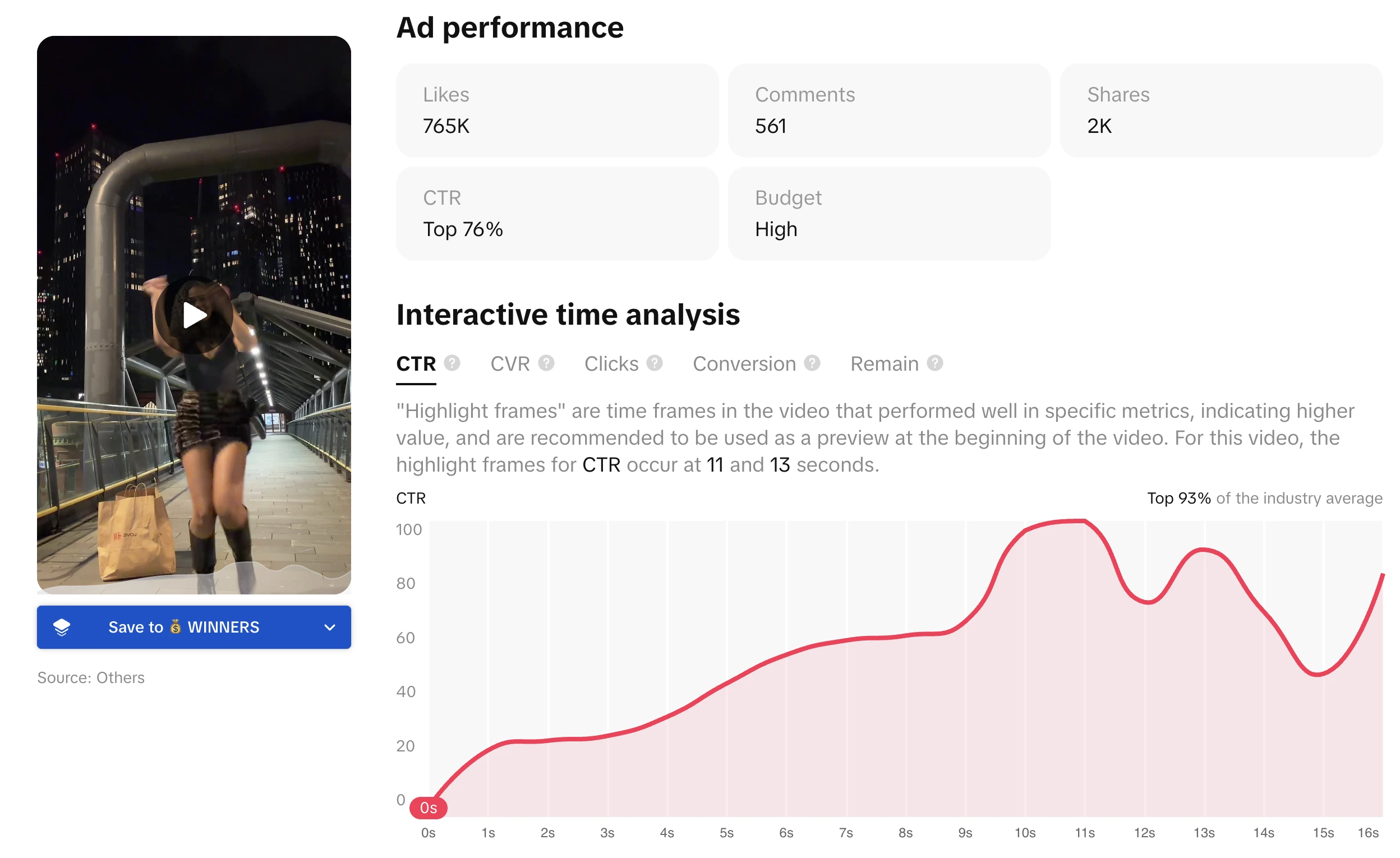
Creative Insights:
- Reveals data-backed patterns
- Which video styles or visual elements drive better performance
Trends
Track what's currently hot on TikTok across different regions and categories:
- Trending hashtags
- Popular songs
- Breakout TikTok creators
- Viral videos
All filterable by country and industry. This is your window into TikTok culture — showing which memes, challenges, or topics are gaining momentum.
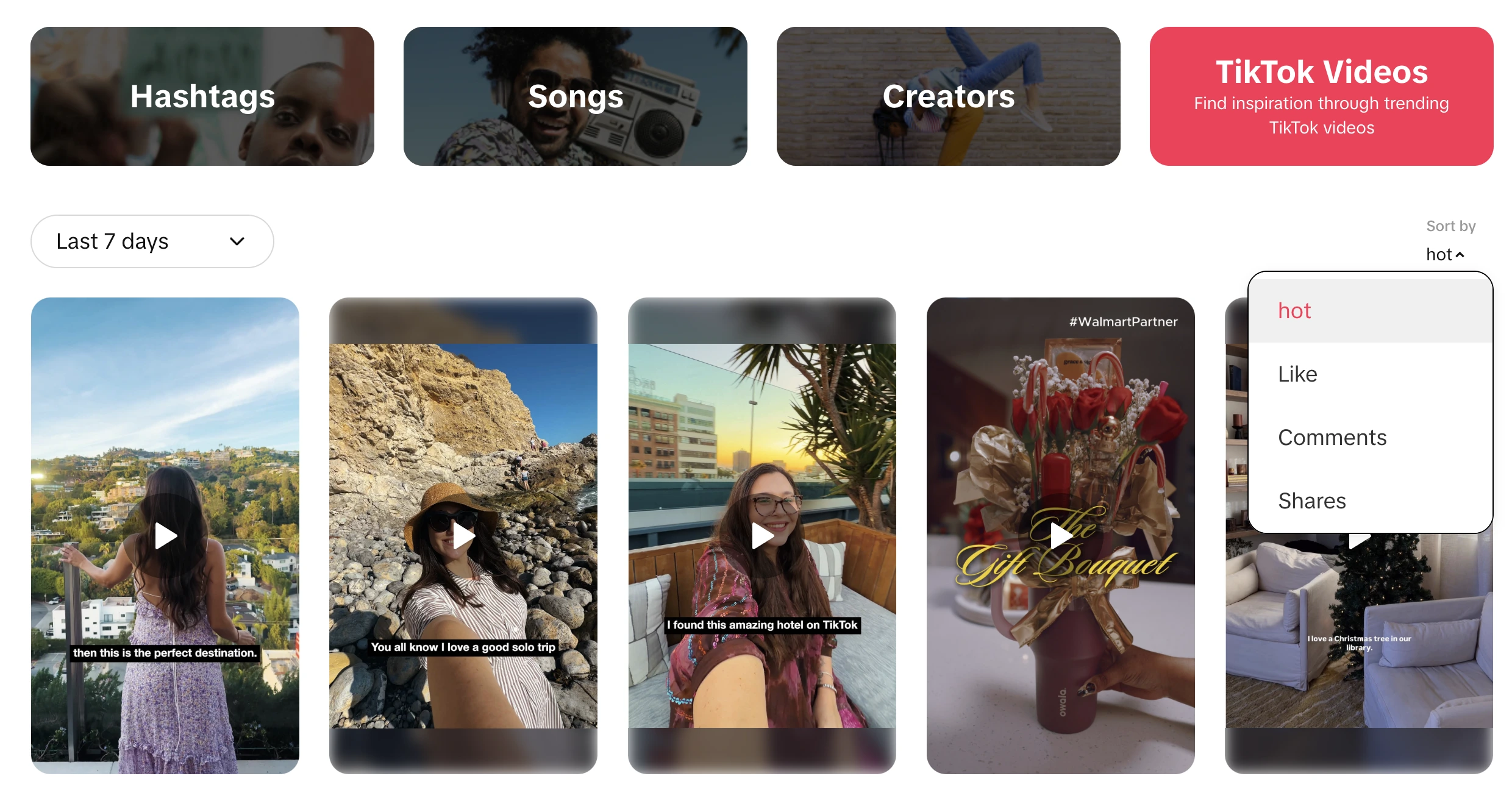
By keeping an eye on the Trends tab, you can:
- Align your content with rising trends
- Jump on relevant hashtags early
- Maximize the chances your ads resonate with the TikTok audience
Creative Tools
TikTok provides a suite of AI-powered utilities to help you build and enhance your ads:
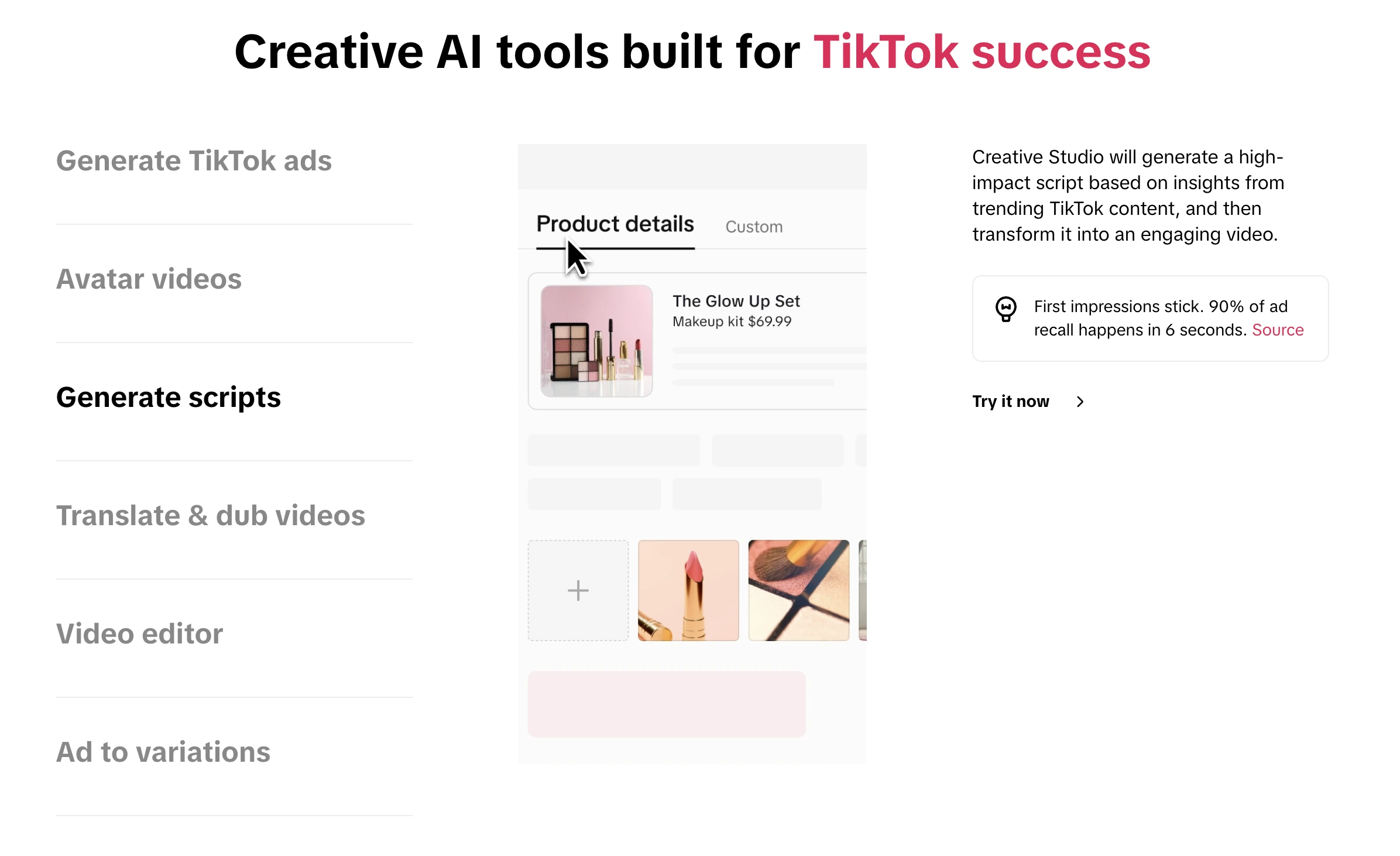
Script Generator:
- Produces a draft ad script in seconds
- Based on inputs like your product name and industry
Interactive Add-ons Previewer:
- Test interactive TikTok ad features (stickers, pop-ups, voting buttons)
- See how they'd look in your video
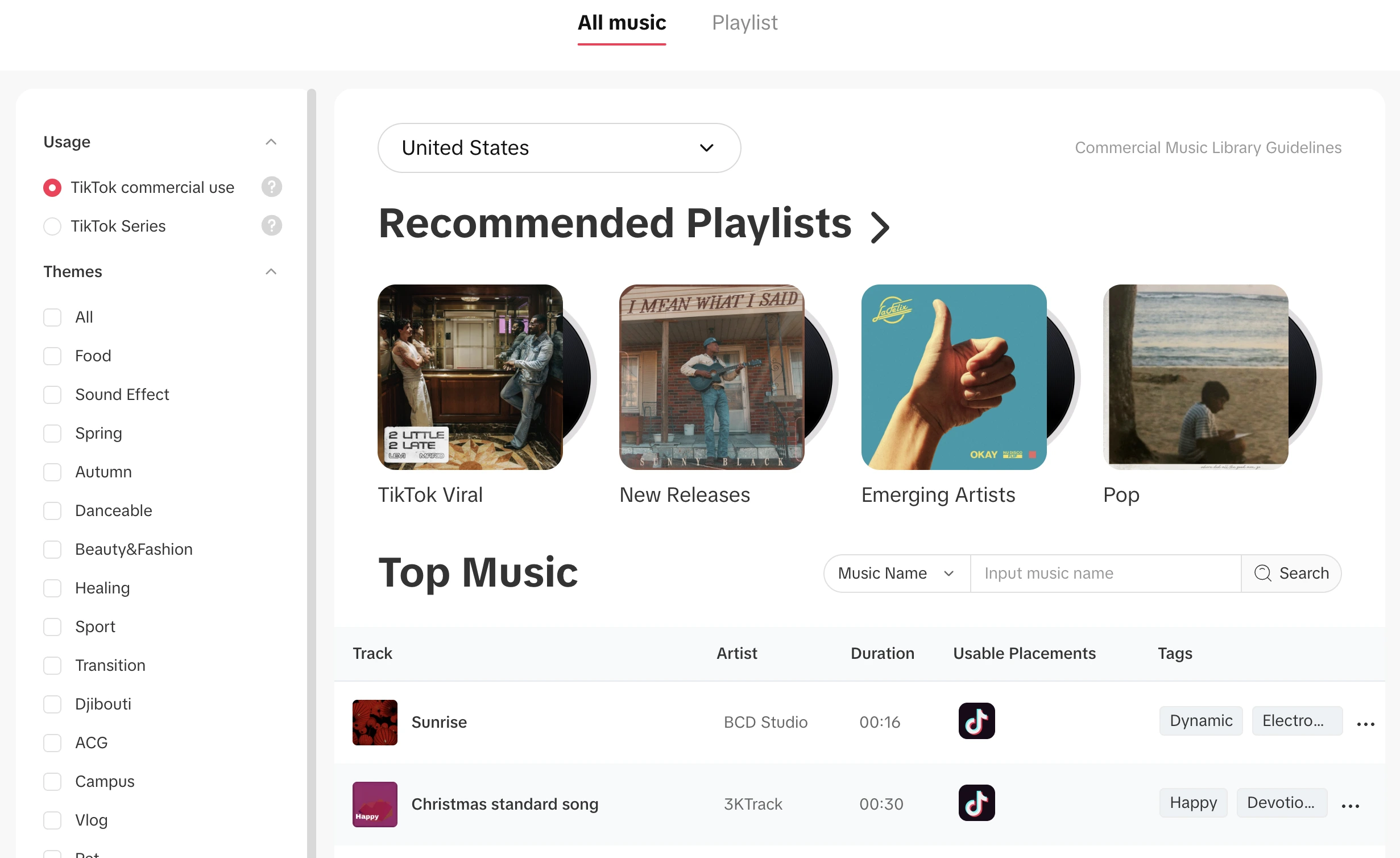
Commercial Music Library:
- Searchable catalog of music tracks cleared for business use
- Find background music that won't get your ad muted
Symphony Assistant:
- TikTok's AI virtual creative assistant
- Chat to brainstorm ideas
- Get suggestions and refinements based on TikTok's best practices
What You Can Learn From TikTok Creative Center
1. Top-Performing Ad Formats
Discover which creative formats work best:
- UGC-style videos
- Product demonstrations
- Challenge-based content
- Before/after transformations
2. Trending Sounds & Music
Music is central to TikTok. The Creative Center shows you:
- Which sounds are trending
- What music top-performing ads use
- Clearance for commercial use
3. Regional Differences
Different markets respond to different creative approaches:
4. Industry Benchmarks
Filter by your industry to see:
- What competitors are running
- Average engagement metrics
- Creative patterns that perform
5. Seasonal & Event Trends
Track what works during:
Limitations of TikTok Creative Center
The TikTok Creative Center is powerful, but it has several limitations:
❌ No download option — You cannot directly download or save the video ads you find
❌ No persistent bookmarks — No built-in way to build a swipe file
❌ Limited search by advertiser — Can't easily track a specific competitor over time
❌ No organization tools — No folders, tags, or collections
❌ No cross-platform research — Only TikTok ads, no Meta or LinkedIn
❌ No AI-powered search — Can't search for creative elements like "UGC selfie video"
❌ No performance sorting — Can't sort by longest-running or highest engagement
If you want to build a swipe file of ads or monitor competitors' creatives over time, you'll need additional tools.
How Skaler Fills the Gaps
This is where Skaler comes in. Skaler makes it effortless to save and organize TikTok ads externally — and goes far beyond what the Creative Center offers.
1. Save Ads Directly from TikTok Creative Center
With the Skaler Chrome Extension, a "Save ad" button appears directly inside TikTok Creative Center.
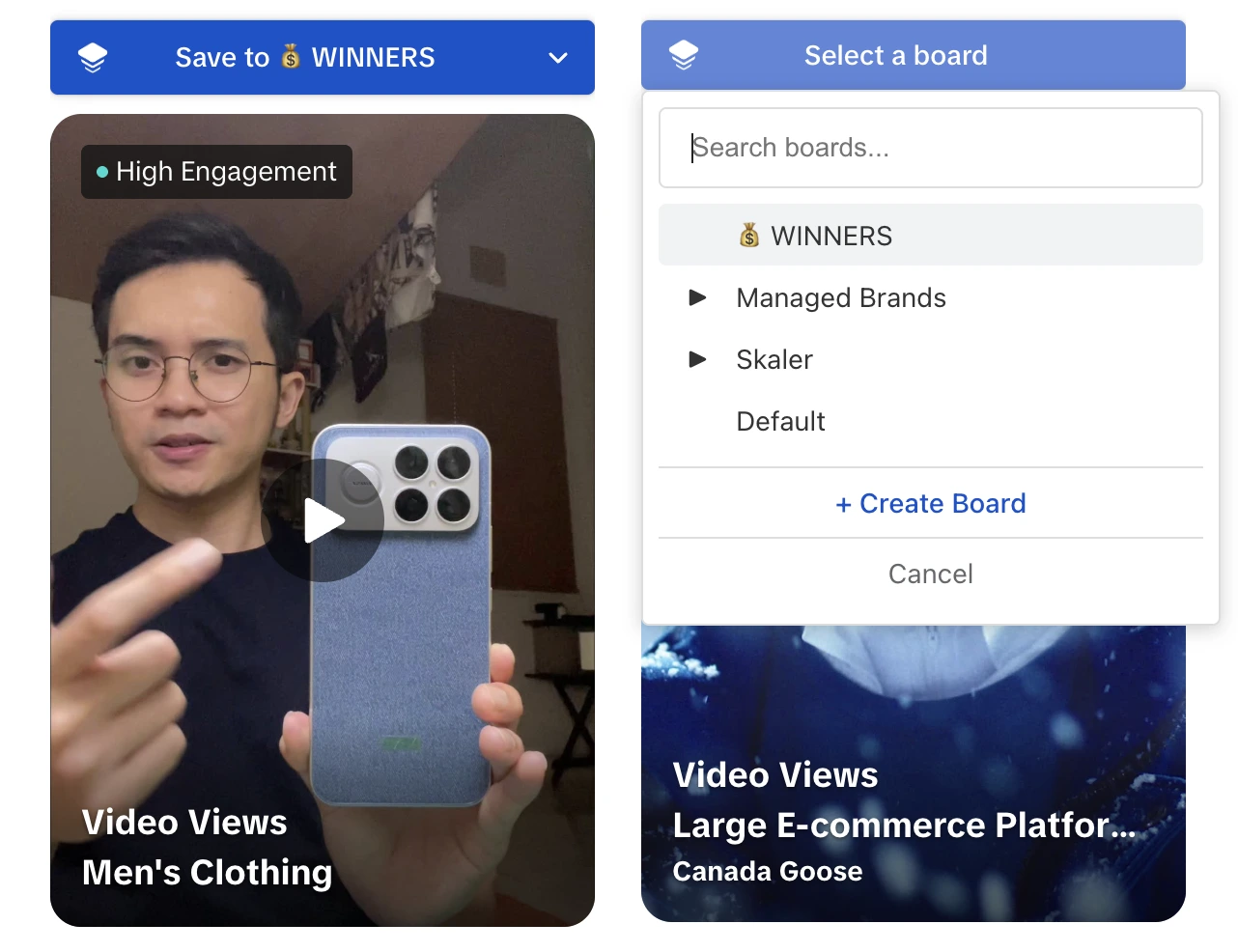
One click, and the ad — video, copy, and metadata — is saved to your boards permanently.
No more:
- Screenshots
- Copy-pasting URLs
- Lost inspiration
2. Build Organized Swipe Files
Save ads from TikTok Creative Center and organize them into:
- Boards and sub-boards
- Tags by product type, creative approach, or campaign
- Collections you can share with your team
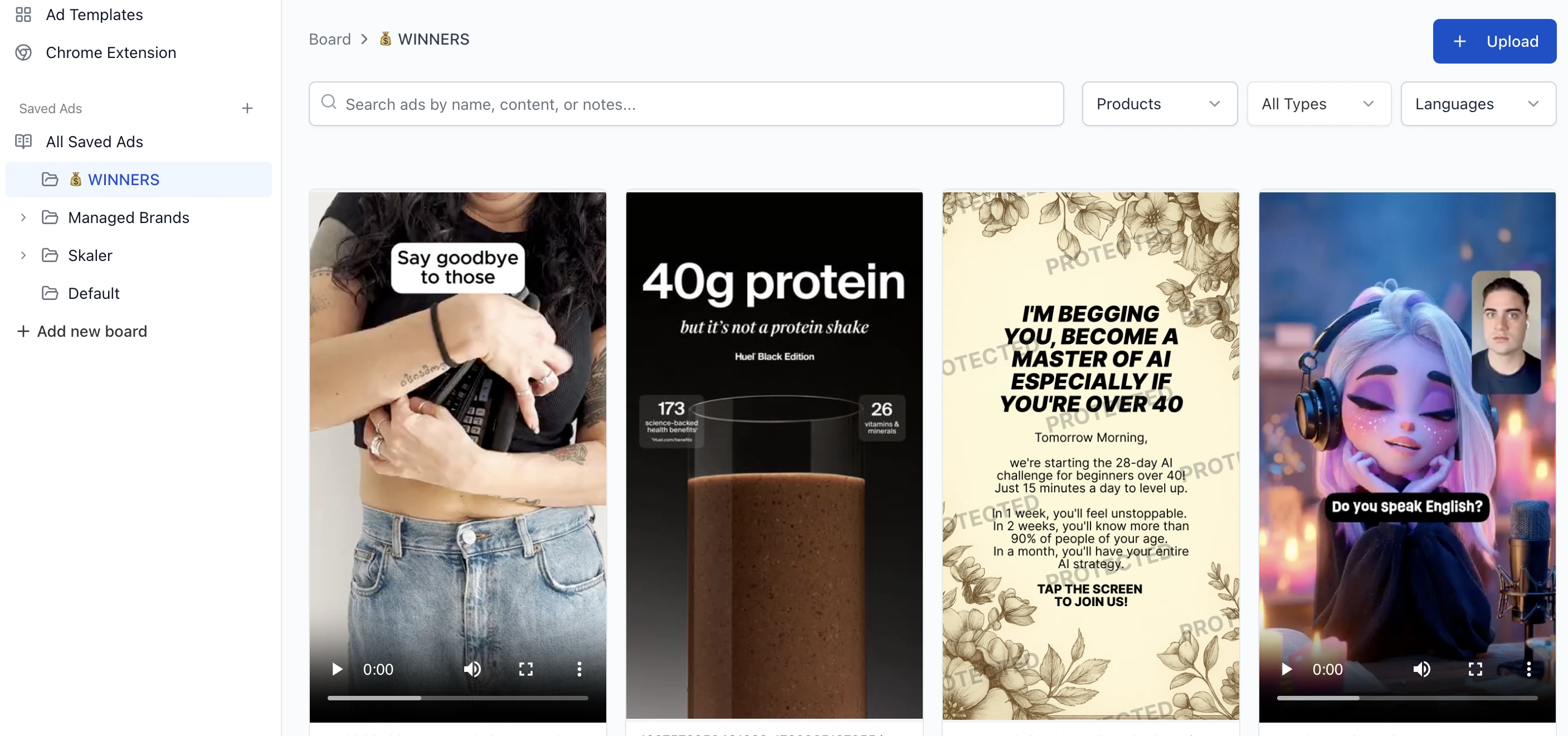
Everything stays accessible forever — even if the ad gets taken down.
3. Cross-Platform Research
Skaler works the same way on:
- Meta Ads Library (Facebook & Instagram)
- LinkedIn Ads Library
- TikTok Creative Center
One swipe file for all your ad research.
4. AI-Powered Search
Instead of manually scrolling, search for:
- "testimonial ads"
- "before/after ads"
- "UGC selfie video"
- "product demo"
- "green screen"
- "unboxing"
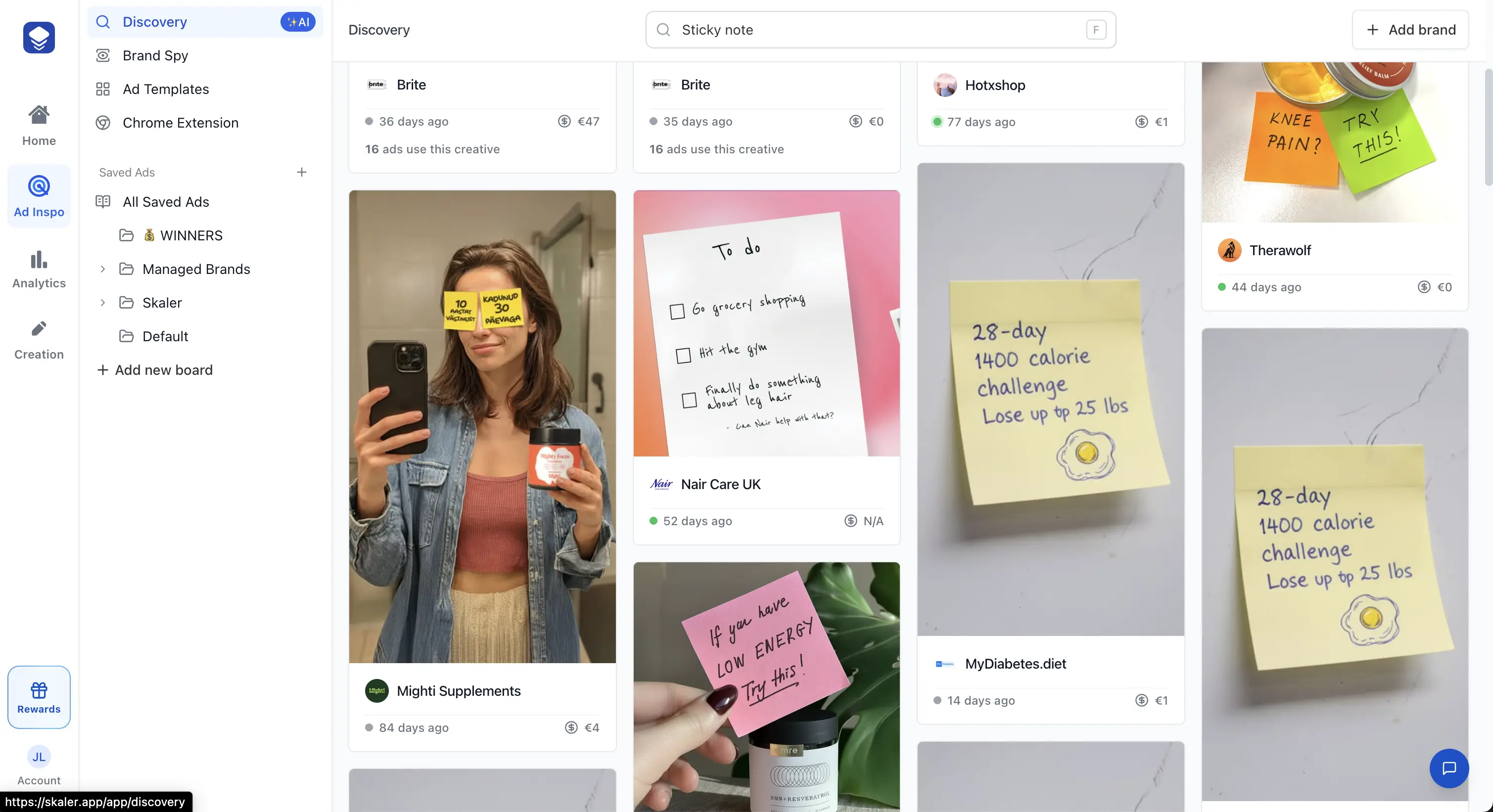
The AI finds ads even if the advertiser doesn't use those words.
5. Performance Signals
Skaler automatically ranks ads based on:
- Longest-running ads (a proxy for performance)
- Most duplicated creatives
- Highest reach (where available)
These reveal what's actually working — not just what's running.
6. Instant Ad Cloning
Turn research into production:
- Import an ad from TikTok
- Extract its winning structure
- Generate a brand-safe version in your style
- Produce image or video variants in seconds
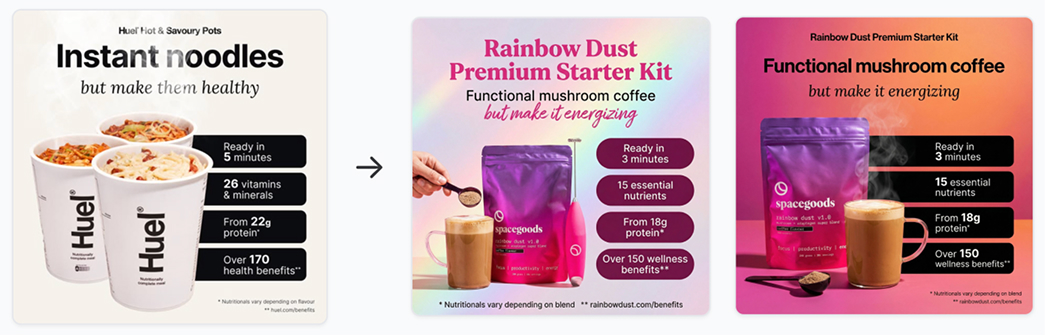
TikTok Creative Center shows what works.
Skaler lets you create it.
When Should You Use TikTok Creative Center vs Skaler?
| Task | TikTok Creative Center | Skaler |
|---|---|---|
| See trending ads | ✅ | ✅ |
| Filter by region/industry | ✅ | ✅ |
| Download ads | ❌ | ✅ |
| Save ads permanently | ❌ | ✅ (via Chrome Extension) |
| Cross-platform (Meta, LinkedIn) | ❌ | ✅ |
| AI creative search | ❌ | ✅ |
| Sort by performance signals | ❌ | ✅ |
| Organize into boards/tags | ❌ | ✅ |
| Team collaboration | ❌ | ✅ |
| Instant ad cloning | ❌ | ✅ |
Final Thoughts
TikTok Creative Center is a must-use resource for anyone looking to advertise effectively on TikTok. It demystifies what top-performing TikTok ads look like, what's trending with audiences, and provides tools to help you craft your own winning creatives.
But if you're serious about creative research — building swipe files, tracking competitors, or turning inspiration into production — you'll quickly need more.
Skaler gives you a permanent, organized, cross-platform ad library with AI-powered search and instant creative generation.
If you want to turn TikTok ad research into winning ads — faster:
👉 Try Skaler and upgrade your TikTok workflow from "manual scrolling" to "high-velocity creative engine."
Related Resources
- LinkedIn Ad Library Guide — Master LinkedIn's ad library for B2B research
- Meta Ads Library: The Complete 2025 Guide — Master Meta's ad transparency tool
- Best AI Ad Generators in 2025 — Compare tools for creating ads with AI
- How to Analyze Ad Performance — A data-driven approach to creative analytics
- 5 Ad Creative Best Practices — Strategies that actually drive conversions
- Instagram Ad Examples — See what's working on Instagram right now
Get Help
Have questions? We're here to help:
- In-app support: Click the help icon in the bottom right
- Email: hello@skaler.app
Ready to go beyond TikTok Creative Center? Start free with Skaler
Related Articles
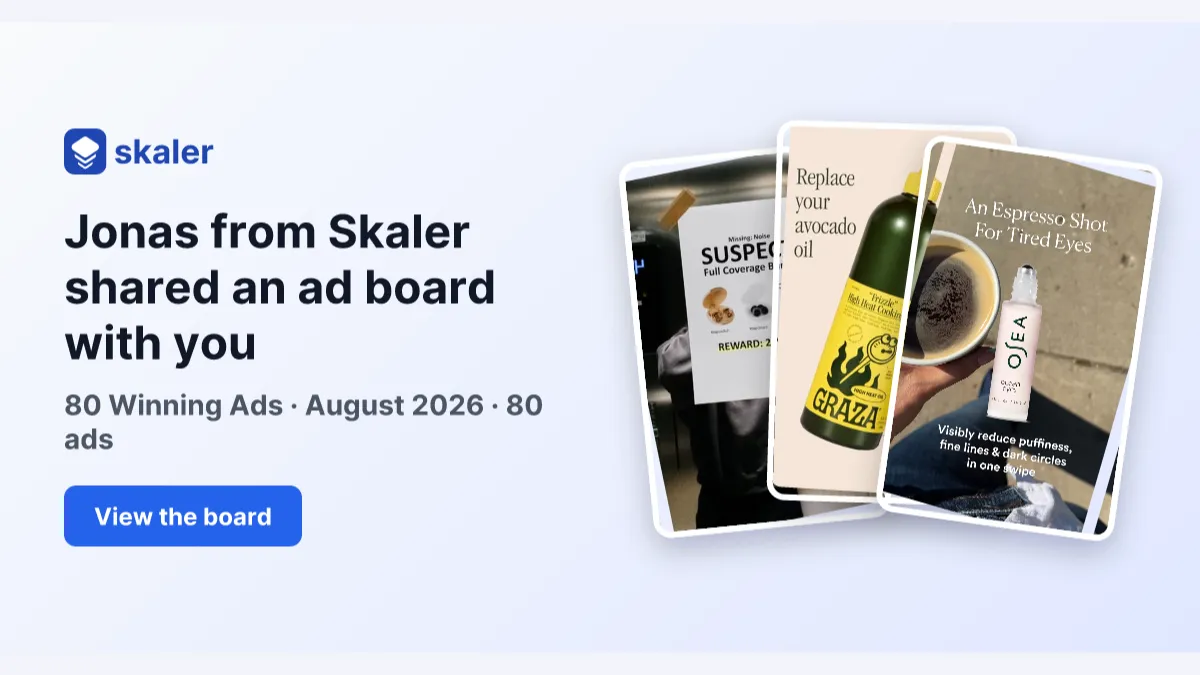
The 80 Most-Saved Meta Ads of August 2026 (Free Swipe File)
We tracked the 80 Meta ads media buyers saved the most this month — from Seed and Loop to AI soap operas running across 9 ad sets. Browse all 80 free, plus the 4 patterns behind them.
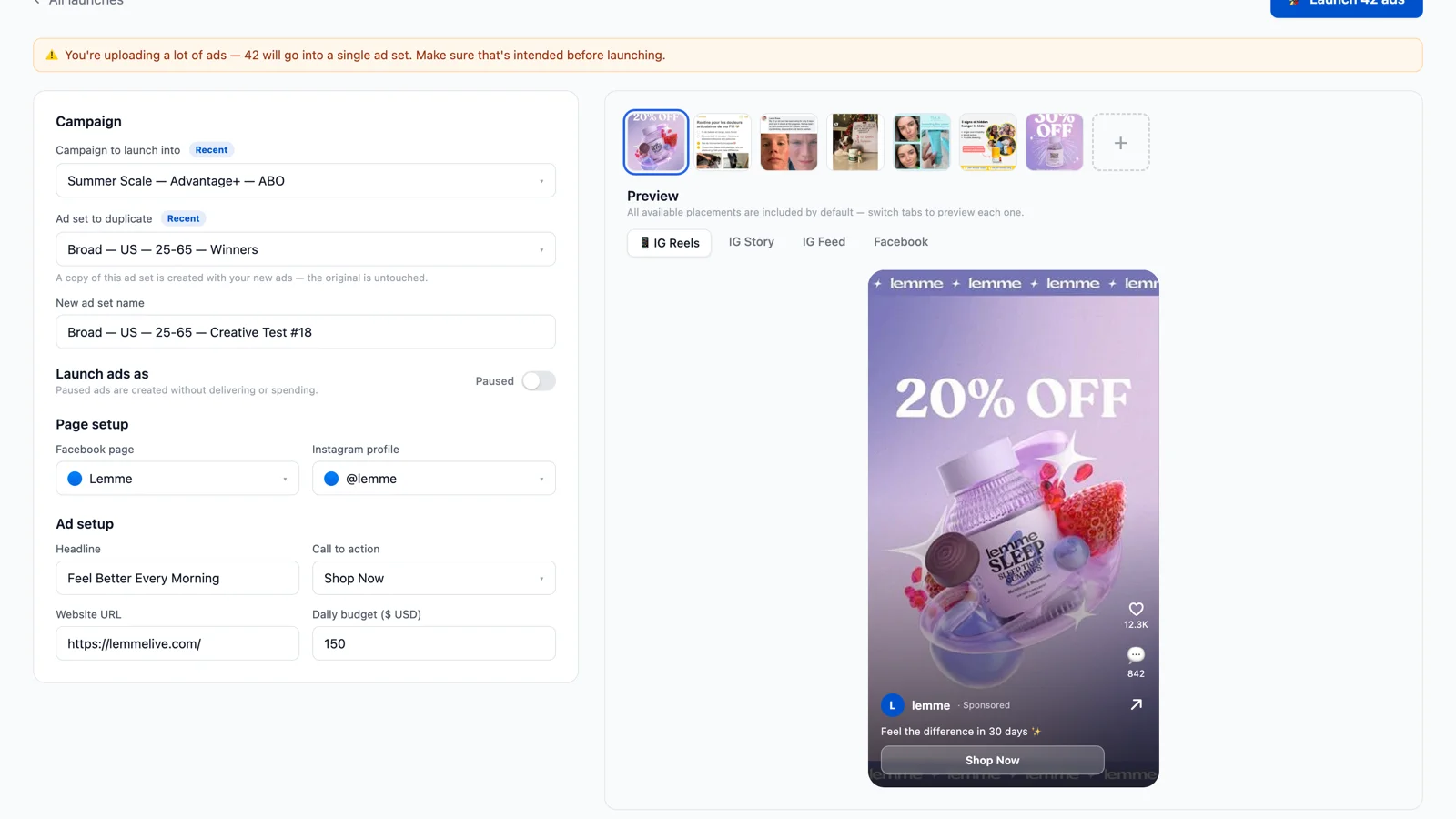
Bulk Ad Launcher for Meta: Launch 100 Facebook Ads in One Click
Skaler's new Bulk Ad Launcher takes you from creatives to live Facebook ads in minutes — drag and drop up to 100 files, duplicate a winning ad set, and launch with copy, budgets, and tracking auto-filled.