
Facebook Ad Library in 2026: What Meta Actually Shows You (and What It Hides)
A no-fluff 2026 guide to the Facebook Ad Library, anchored in Meta's own docs. What the Library actually shows for commercial vs EU/UK vs political ads, what it deliberately hides, and the search tactics that hold up after fact-checking.

 Follow on LinkedIn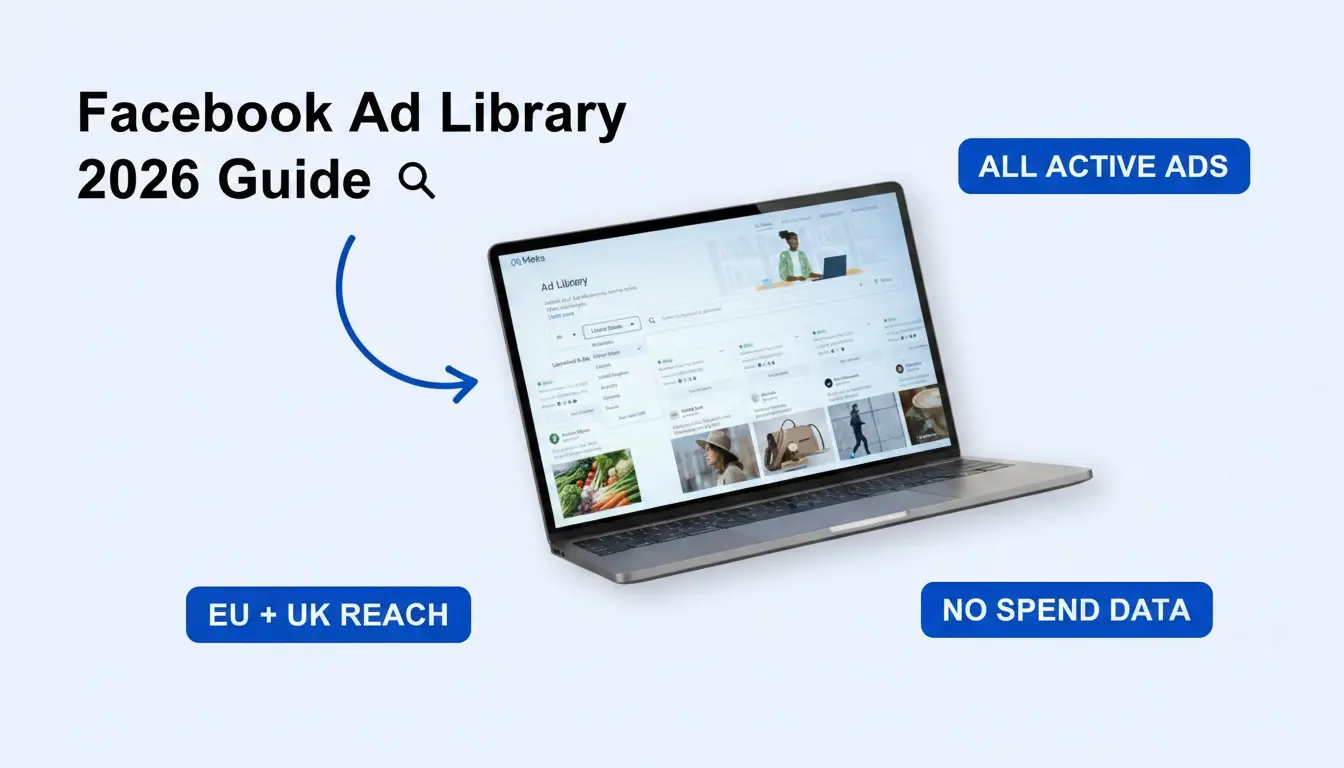
A no-fluff 2026 guide to the Facebook Ad Library, anchored in Meta's own documentation. What the Library actually shows, what it deliberately hides, and how performance marketers turn what's there into useful creative intelligence.
TL;DR: The Facebook Ad Library (officially the Meta Ad Library) is Meta's free, public archive of every ad currently active across Facebook, Instagram, Messenger, and Audience Network. Per Meta's own help docs, commercial ads only show creative, Page, and start date, no spend, no reach, no targeting. Rich data (reach by country, age, gender, plus advertiser-selected targeting) is only available for ads delivered to the EU, UK, or Brazil, and for ads about social issues, elections, or politics. Use it as a creative-pattern radar, not a performance dashboard.
The Facebook Ad Library is the most underused free tool in performance marketing. Open it, type a competitor's name, and you can see every ad they're running on Facebook and Instagram in real time. No subscription. No login. No favors owed.
The catch most marketers never notice: for a US-only commercial brand, the Library shows you the creative, the Page, and the start date. That's it. No spend, no reach, no targeting. Almost everything you've read online about "see how much your competitor is spending" or "filter by impressions to find winners" comes from SEO blogs that don't match what Meta actually publishes.
This guide is built directly on Meta's Ad Library documentation. We'll cover what's actually in there, what's gated by region, how to search it well, and the tactics that survive when you stop trusting tools that don't exist.
💡 Want a deeper reference? Our Meta Ads Library: Complete Guide covers the basics. This post focuses on what Meta actually publishes vs. what marketers wish were there.
What is the Facebook Ad Library in 2026?
The Facebook Ad Library is Meta's free, public archive of every active ad running on Facebook, Instagram, Messenger, and Audience Network. It lives at facebook.com/ads/library, is searchable without a login, and is mandated under EU Digital Services Act (DSA) Article 39 for Very Large Online Platforms.
Three quick framing points:
- Same product, two names. Meta rebranded "Facebook Ad Library" to "Meta Ad Library" when the parent company became Meta Platforms in 2021. The URL didn't change and most marketers still call it the Facebook Ad Library. We use both names interchangeably.
- Active vs. archived is the key distinction. Per Meta's docs, commercial ads not about social issues, elections, or politics, and not delivered to the EU or UK, are not archived. When the campaign ends, the ad disappears. If you didn't save it, it's gone.
- The DSA is what keeps this alive. EU Article 39 obligates platforms with 45M+ EU users to maintain a searchable ad repository. That regulatory floor is why the tool keeps getting better year over year, and why the richest data lives behind the EU/UK lens.
What does the Facebook Ad Library actually show?
For a typical commercial ad delivered only outside the EU and UK, the Library shows the ad creative, the Page that ran it, and the date it started running. No spend, no impressions, no reach, no targeting, no archive. Rich data unlocks for ads delivered to the EU/UK, ads about social issues or politics, and (for ads created on or after August 15, 2024) ads delivered in Brazil.
Meta's own help center publishes the definitive table. Here's the simplified version:
| Data point | Commercial ad (US, etc.) | Ad in EU/UK | Brazil (post Aug 15, 2024) | Political/issue ad |
|---|---|---|---|---|
| Ad creative | ✅ | ✅ | ✅ | ✅ |
| Page that ran the ad | ✅ | ✅ | ✅ | ✅ |
| Start date | ✅ | ✅ | ✅ | ✅ |
| Archived after going inactive | ❌ | ✅ (1 year) | ✅ | ✅ (7 years) |
| Amount spent | ❌ | ❌ | ❌ | ✅ (range) |
| Impression range | ❌ | ❌ | ❌ | ✅ (range) |
| Total reach | ❌ | ✅ | ✅ | ❌ |
| Reach by location, age, gender | ❌ | ✅ | ✅ | ✅ |
| Targeting selections (ad level) | ❌ | ✅ | ✅ | Page-level only |
| Beneficiary and payer info | ❌ | ✅ (EU only) | ❌ | ✅ |
The big takeaway: if a brand only advertises in the US, you get a hook and a screenshot, nothing else. Most "see your competitor's spend" workflows you've read about online either silently assume EU delivery, conflate political ads with commercial ones, or are flat wrong.
How do you search the Facebook Ad Library?
You search the Ad Library by going to facebook.com/ads/library, picking a country, choosing an ad category ("All ads" for commercial work; "Issues, elections or politics" for political research), then entering an advertiser name or a keyword. Meta's docs confirm you can search for any term, Page name, or keyword. Filtering options vary by ad type and country.
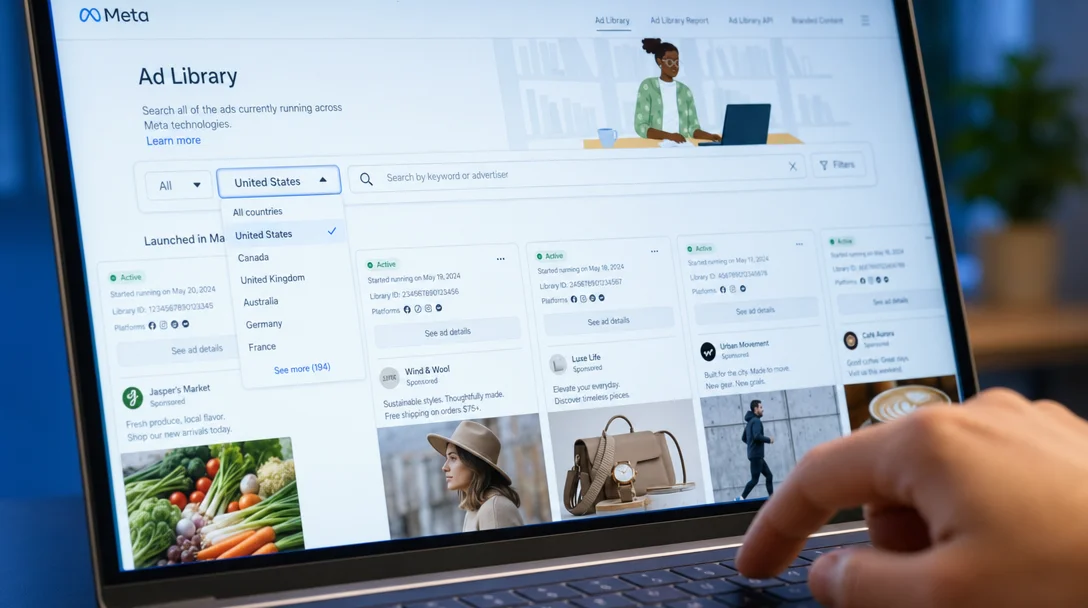 The Library's UI is minimalist by design. Country first, then ad category, then your search term, then narrow with filters.
Decide your input type before you start typing:
- Advertiser search is best when you already know the brand and want to see how their creative strategy evolves. Type the Page name and you get every ad they're running right now.
- Keyword search is best when you're hunting for a creative pattern across an entire category ("before after", "60-day guarantee", "AI tutor"). You'll surface ads from brands you'd never have thought to search.
Don't mix the two methods inside one research session. Patterns from advertiser searches and keyword searches aren't directly comparable, and your team will end up arguing about apples and oranges.
A few practical notes drawn from the actual UI:
- Each search is a URL. The Ad Library encodes every filter into URL parameters, so any query you build in the UI you can also bookmark. Example:
facebook.com/ads/library/?active_status=active&ad_type=all&country=US&q=nike. Save 20+ of these for the niches and competitors you watch and morning research collapses from an hour to ten minutes. - Country selection comes first. Meta filters results by country target, so "Nike US" and "Nike UK" return different sets. If you operate globally, run the same query in 3-5 countries and compare.
- Page context is bundled. Per Meta's docs, viewing a Page in the Library also shows when the Page was created and its name-change history. That's useful for sniffing out dropshippers and rebrands without needing any "back-door" URL hack.
What filters does the Library actually expose?
The exact filter set in the Ad Library UI varies by ad category and country. For the political/issue ad view, Meta documents the following filters: country, Page name, status (active/inactive), delivery by region, language, platform, media type, disclaimer, impressions by date, and estimated audience size. For general commercial ads, the filter set is more limited and Meta does not publish an exhaustive list.
The filters you can rely on across most views:
- Country. Always set this first. Ad targeting is geography-specific, and a brand's UK creative often differs entirely from its US creative.
- Active vs. inactive. Default is active. Inactive surfaces ads that ran in the past, but only for ad categories that are archived (political, EU/UK, Brazil).
- Platform. Filter by which Meta surface the ad ran on (Facebook, Instagram, Messenger, Audience Network).
- Media type. Image, video, meme, or no media.
- Language. Useful for spotting localization patterns when a brand runs different creative per market.
If you want exact spend or impression numbers, Meta only surfaces those for ads about social issues, elections, or politics (as ranges, e.g. "$100-$499" or "1,000-5,000 impressions"). Commercial ads in the EU/UK get reach instead, broken down by country, age, and gender. Everything else is gone.
Four currently-active ads pulled from Skaler's index of public Meta ads, ranging from 524K to 1.5M EU reach. Notice the patterns: a botanical-skincare hook ("a dash of arnica ended Botox"), a category-led men's fragrance lifestyle showcase, a contrarian deal-led video ("This deal is such a lie"), and a 30-day testimonial. Different verticals, same playbook: a strong opening line, a clear visual, a specific offer.
🔍 Skaler indexes ~3M Meta ads with AI tags for hooks, ad types, copy lines, and visual elements, so you can search "POV selfie ads" or "before/after supplement ads" instead of scrolling for hours. Try it free →
What can you actually learn from a commercial Facebook ad?
For commercial ads outside the EU/UK, you can study the hook (first line of copy or first three seconds of video), the visual format (image vs video vs carousel), the offer structure, the call-to-action, and the start date. You can also infer longevity from start date alone, ads still active 30, 60, or 90+ days after launch are usually profitable, because brands stop paying for ads that don't convert.
That's not as little as it sounds. The first three seconds of a video ad and the first line of a static ad do roughly 80% of the persuasive work. Build a hook library by copy-pasting the opening line of every long-running ad you find in your category. After 50–100 ads you'll see five to eight archetypes repeating across very different brands. Those archetypes are your creative brief.
You can also infer:
- Format dominance in your niche. If 30 of 50 long-running ads in supplements are testimonial videos with on-screen subtitles, that's not a coincidence, that's what works.
- Offer cadence. When does each competitor refresh creative or push a discount? You can't see spend, but a wave of new creative inside 14 days usually means a campaign launch.
- Localization style. A brand running aggressive discount messaging in Spanish and premium positioning in English is signaling something about the markets it actually wins.
What you cannot infer from a US-only commercial ad: spend, ROAS, CPM, CTR, conversion rate, audience targeting, or how many impressions it served. Anyone telling you otherwise is either selling you a tool that estimates these from external signals or is just wrong.
What's different for EU and UK ads?
Per Meta's docs, ads delivered to the EU or UK are archived for one year after their last impression and surface significantly more data: total reach, reach broken down by country, age, and gender, advertiser-selected ad-level targeting (age, gender, location, included or excluded), and (for EU only) beneficiary and payer information. This is mandated under the EU DSA.
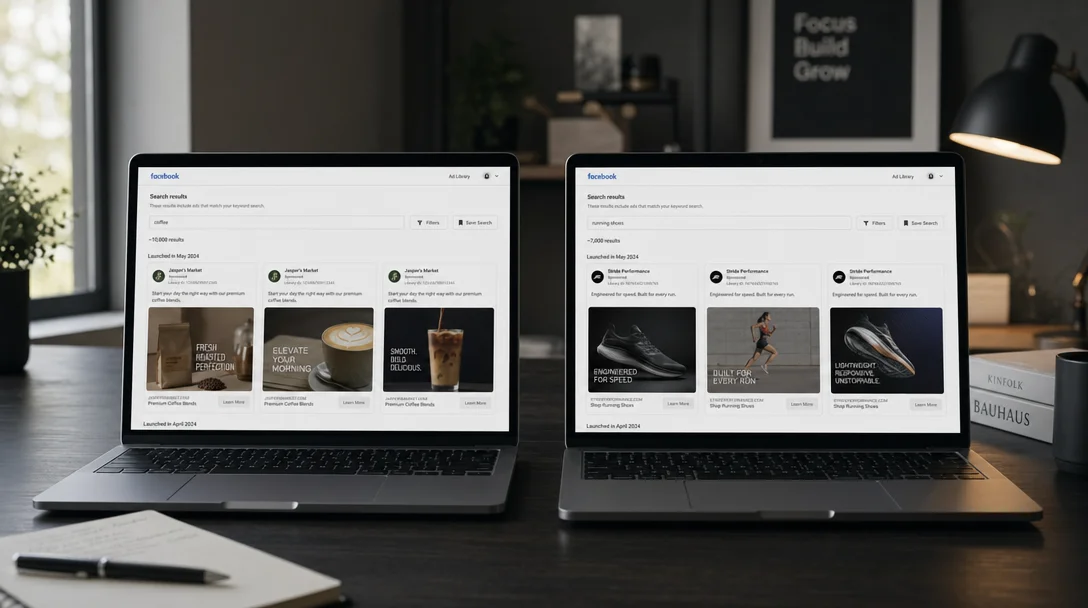 The same brand, two different countries: the US view shows creative and start dates only; the EU view shows total reach, country breakdown, and advertiser-selected targeting.
In practice, this turns the Library into two products:
- For US-only research: a creative-pattern radar. You see hooks and formats; nothing about delivery.
- For EU/UK research: a partial competitive intelligence platform. You can see roughly where a brand is putting its money (which countries, which age groups), how the targeting was constructed, and you can rebuild a 12-month creative timeline because everything is archived.
A practical implication: if you're a US brand researching a competitor, look for the same ad delivered into the EU/UK. Most large brands run Meta ads in both, and the EU/UK delivery surfaces reach data that's invisible in your home market. Filter by country, switch to a European ISO code, and the same Page often suddenly has full reach breakdowns.
What pro tactics actually work?
The tactics that hold up after fact-checking against Meta's docs: bookmark URL-parameter queries for repeated searches, sort visually by what's already running long (start dates are visible on every ad card), pivot to EU or UK delivery when you need reach data, and use the Page context (creation date, name-change history) Meta surfaces directly in the Library to vet the brands you're studying.
Specifically:
1. Build a URL-parameter watchlist
Every search you can construct in the UI you can also build (and bookmark) as a URL. Save 20-40 of these per active client or vertical and you've got a daily monitoring workflow that takes 10 minutes. Example pattern:
facebook.com/ads/library/?active_status=active&ad_type=all&country=US&q={keyword}
Swap the keyword and the country code, save the link, done.
2. Use start date as your free longevity sort
The Library shows the start date on every ad card. There's no native "sort by oldest" button for commercial ads, but in practice you can scroll a brand's active set and prioritize ads that launched 30+ days ago. Long-running ads are profitable ads, advertisers don't keep paying for what doesn't convert, so a 60-day-old ad in a competitive vertical is your highest-signal study target.
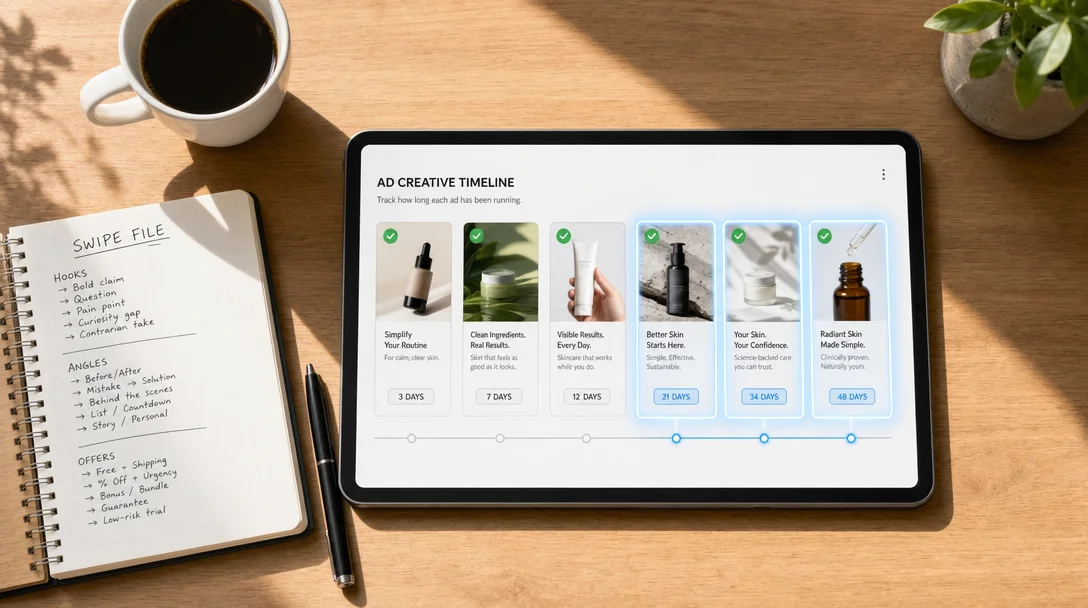 Build a swipe file ranked by start date. The 90+ day cohort is where the brief writes itself.
3. Pivot to EU or UK delivery when you need reach
If you're researching a brand that advertises globally, switch the country selector to a European one and look for the same Page. The DSA-mandated reach data lights up automatically for ads delivered there. You'll see total reach, country-level breakdown, and demographic splits that simply don't exist in the US view.
4. Use Page context to vet the brand
When you click into a Page in the Library, Meta surfaces creation date, name-change history, and (for ads about social issues, elections, or politics) lifetime spend on those ads. You don't need a "transparency back-door URL" because Meta puts this directly in the Library. A 2024-created Page running thousands of fresh creatives is almost always a dropshipper, not a long-term brand worth modeling.
What can't you do in the Facebook Ad Library?
You can't see spend, impressions, reach, or any direct performance metric for commercial ads outside the EU, UK, or Brazil. You can't sort or filter ads by performance, longevity, or duplication count. You can't search by visual creative attributes ("ads with a sticky-note overlay", "POV selfie shots"). You can't save or export ads, and you can't bulk-pull data without rebuilding the Ad Library API yourself.
The honest list of limitations:
- ❌ No CPM, CTR, ROAS, or any direct performance metric for non-EU/UK commercial ads.
- ❌ No spend data for commercial ads (only ranges for political/issue ads).
- ❌ No impression data for commercial ads (only ranges for political/issue ads).
- ❌ No sort by longevity, reach, or duplication count.
- ❌ No AI search for creative elements.
- ❌ Inactive non-EU/UK commercial ads are not archived, save them yourself or they're gone.
- ❌ No bulk export, no CSV, no programmatic analysis without the Ad Library API (which is heavily rate-limited and only covers political and EU/UK ads).
- ❌ Slow UI on big-account searches; clunky on mobile.
The Library is regulatory transparency, not a media-buying tool. Meta built it for journalists, researchers, and the European Commission, not performance marketers. Once you've extracted the obvious signals (hooks, formats, longevity) you've used 80% of what's there.
This is the gap Skaler closes: the same public ads, indexed and AI-tagged for hooks, ad types, copy lines, and visual elements, with semantic search, performance scoring, ad cloning, and a Chrome extension that adds a "Save ad" button directly inside the Ad Library. We cover this in detail in our Meta Ads Library guide.
How do real winners look once you've found them?
Here are four currently-running ads picked for diversity (different categories, different angles, different hooks):
A founder-style testimonial for a testosterone supplement, a Dr. Squatch "39% off cologne soaps + free bag" offer-led video, a Happy Socks lifestyle product image scaled across multiple variants, and a comparison skit ad ("You copied me, that's theft. Can't copyright a scent, babe.") for fragrance dupes. None are doing anything technically clever. They're just executing classic structures with strong opening lines and clear offers.
That's what to look for in the Library: not novelty, but repetition. The Library is most useful when you spot the same pattern across five different brands in your category, then ship your version.
Frequently Asked Questions
Is the Facebook Ad Library free? Yes. Completely free, no account required for browsing the public site. The official Ad Library API is also free but requires Facebook developer authentication and is heavily rate-limited.
Can I see how much a competitor is spending on Facebook ads? Per Meta's docs, spend ranges are only published for ads about social issues, elections, or politics, in ranges like "$100-$499" or "$500-$999". Commercial ads do not show spend. The best free proxy for commercial ads is longevity: ads running 30+ days are usually profitable.
Can I see how many impressions a Facebook ad has had? Only for political/issue ads (in ranges like "1,000-5,000"). Commercial ads do not show impression counts. For ads delivered to the EU or UK, you can see total reach (under the DSA), which is the closest commercial-ad equivalent.
Why do some Facebook ads disappear from the Library? Per Meta's docs, commercial ads outside the EU, UK, and Brazil are not archived: when the campaign ends, the ad disappears. EU and UK ads are archived for one year after the last impression. Political and issue ads are kept for seven years. If you find a great commercial ad outside the EU/UK, save it before it vanishes.
What's the difference between the Facebook Ad Library and the Meta Ad Library? Same product, different name. Meta rebranded the Library when the parent company became Meta Platforms in 2021. The URL is still facebook.com/ads/library and most marketers still call it the Facebook Ad Library.
How do I find long-running winning ads in the Facebook Ad Library? Set the country, set status to Active, then visually scan the start dates on each ad card. Anything 60+ days old is almost certainly profitable, because brands don't keep paying for ads that don't convert. Study the hook, the offer, and the format, then look for the same pattern across three to five other brands before declaring it the format that works.
The takeaway
The Facebook Ad Library is the best free competitive radar in performance marketing, and also the most over-marketed tool of the last decade. The data isn't where the SEO blogs say it is. Spend, impressions, and targeting only show up for political ads and EU/UK delivery. For US-only commercial brands, you get a hook and a date, and that's the whole game.
Use it for what it actually is: a creative-pattern radar. Bookmark URL-parameter queries for the niches you watch, switch to EU or UK delivery when you need reach data, study the start date on every ad card, save the winners, and feed the patterns into your brief. The brands winning on Meta in 2026 aren't running the most original creative, they're treating competitive intelligence as a daily habit, with the right expectations about what the public Library will tell them.
See, Save, and Clone Winning Ads in Minutes
The Facebook Ad Library is the right starting point, but it's the floor, not the ceiling. Skaler indexes ~3M Meta ads with AI tags for hooks, ad types, copy lines, and visual elements, surfaces signals the public Library doesn't expose, and lets you clone any winning competitor ad into your brand style in seconds. Free to start →
Related Resources
- Meta Ads Library: The Complete Guide to Analyzing Competitor Ads
- LinkedIn Ad Library: The Complete Guide to B2B Competitor Ads
- TikTok Creative Center: The Ultimate Toolkit for Ad Creativity
- Ad Creative QA Checklist: 40+ Checks Before You Hit Publish
- Creative Strategy: Frameworks, Templates, and Advertising Examples
- Top 9 Performance Marketing Brands Crushing Facebook Ads in EU/UK
- How to Analyze Ad Performance: A Data-Driven Approach
- Free Ad Creative QA Checklist (interactive)
- Free AI Hook Generator
Related Articles
The 80 Most-Saved Meta Ads of August 2026 (Free Swipe File)
We tracked the 80 Meta ads media buyers saved the most this month — from Seed and Loop to AI soap operas running across 9 ad sets. Browse all 80 free, plus the 4 patterns behind them.
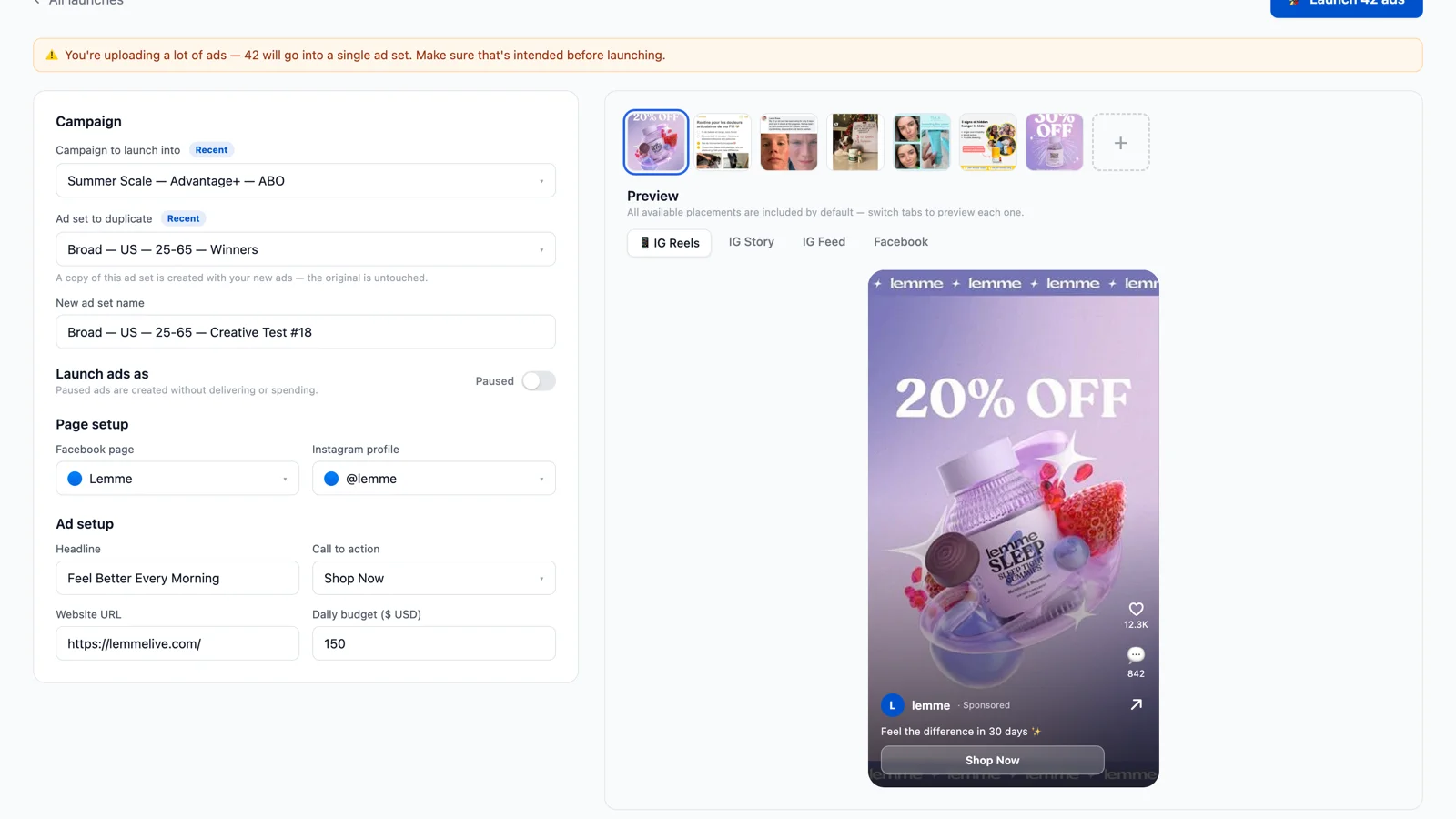
Bulk Ad Launcher for Meta: Launch 100 Facebook Ads in One Click
Skaler's new Bulk Ad Launcher takes you from creatives to live Facebook ads in minutes — drag and drop up to 100 files, duplicate a winning ad set, and launch with copy, budgets, and tracking auto-filled.